
• Latest
  • Trending
  • All
youtube live stream latency settings for gaming guide for Bangladesh gamers, updated October 2026

YouTube Live Latency Settings for Gaming: Normal, Low or Ultra-Low?

October 20, 2026
sage valorant character profile guide for Bangladesh gamers, updated October 2026

Sage in Valorant: Character Profile, Role and Abilities Explained

October 19, 2026
valorant multithreaded rendering on or off guide for Bangladesh gamers, updated October 2026

VALORANT Multithreaded Rendering: When to Turn It On or Off

October 19, 2026
youtube mobile live streaming requirements guide for Bangladesh gamers, updated October 2026

YouTube Mobile Live Streaming Requirements: A Guide for Gaming Streamers in Bangladesh

October 18, 2026
minecraft java subtitles settings guide for Bangladesh gamers, updated October 2026

How to Enable Subtitles in Minecraft Java Edition and Read Sound Direction Cues

October 18, 2026
valorant HRTF audio settings guide for Bangladesh gamers, updated October 2026

Valorant HRTF Audio Settings: How to Hear Footstep Direction More Clearly

October 18, 2026
pubg mobile mic not working android guide for Bangladesh gamers, updated October 2026

PUBG Mobile Mic Not Working on Android: Voice Chat Troubleshooting for BD Players

October 18, 2026
Most popular mobile games 2026 with official download numbers and star ratings from the Play Store

Most Popular Mobile Games in 2026: Real Download Numbers & Ratings

October 17, 2026
Glowing holographic game screens over a desk — new video game releases October 13-16, 2026

New Video Games This Week (October 13-16, 2026): 8 Releases Worth Watching

October 13, 2026
Soldier silhouette over a city at dawn — Call of Duty Modern Warfare 4 launches October 23, 2026

Call of Duty: Modern Warfare 4 Release Date 2026: October 23 Launch & Early Access

October 13, 2026
Neon oceanfront city skyline at dusk — GTA 6 launches November 19, 2026

GTA 6 Release Date 2026: November 19 Launch — What Bangladeshi Players Should Know

October 13, 2026
Epic Games Store free games this week October 2026 — free PC games giveaway

Epic Games Store Free Games This Week (October 2026): TerraScape & Out of Sight

October 13, 2026
Out of Sight free on Epic Games Store — horror adventure through a teddy bear's eyes

Out of Sight Free on Epic Games Store (October 2026): How to Claim It

October 13, 2026
  • About Our Gaming News Team Since 2019
  • Advertising & Sponsorship Opportunities
  • Contact Us for Gaming News & Support
Tuesday, October 20, 2026
  • Login
Hunter Gamer
  • Home
  • Mobile Games
    • PUBG
    • Fortnite
  • PC Games
  • Reviews
  • News
  • Insights
  • Gaming Streamers Directory for Fans
    • Australia
    • Bangladesh
    • Canada
    • Hong Kong
    • India
    • Indonesia
    • Malaysia
    • Moroccan
    • Nepal
    • Singapore
    • Spain
    • Taiwan
    • Thailand
    • Türkiye
    • United Kingdom
    • United States
    • Vietnam
Plugin Install : Cart Icon need WooCommerce plugin to be installed.
No Result
View All Result
Hunter Gamer
  • Home
  • Mobile Games
    • PUBG
    • Fortnite
  • PC Games
  • Reviews
  • News
  • Insights
  • Gaming Streamers Directory for Fans
    • Australia
    • Bangladesh
    • Canada
    • Hong Kong
    • India
    • Indonesia
    • Malaysia
    • Moroccan
    • Nepal
    • Singapore
    • Spain
    • Taiwan
    • Thailand
    • Türkiye
    • United Kingdom
    • United States
    • Vietnam
No Result
View All Result
Hunter Gamer
No Result
View All Result

YouTube Live Latency Settings for Gaming: Normal, Low or Ultra-Low?

October 20, 2026
in News
Reading Time: 4 mins read
0 0
Home News
0
VIEWS
Share on FacebookShare on Twitter
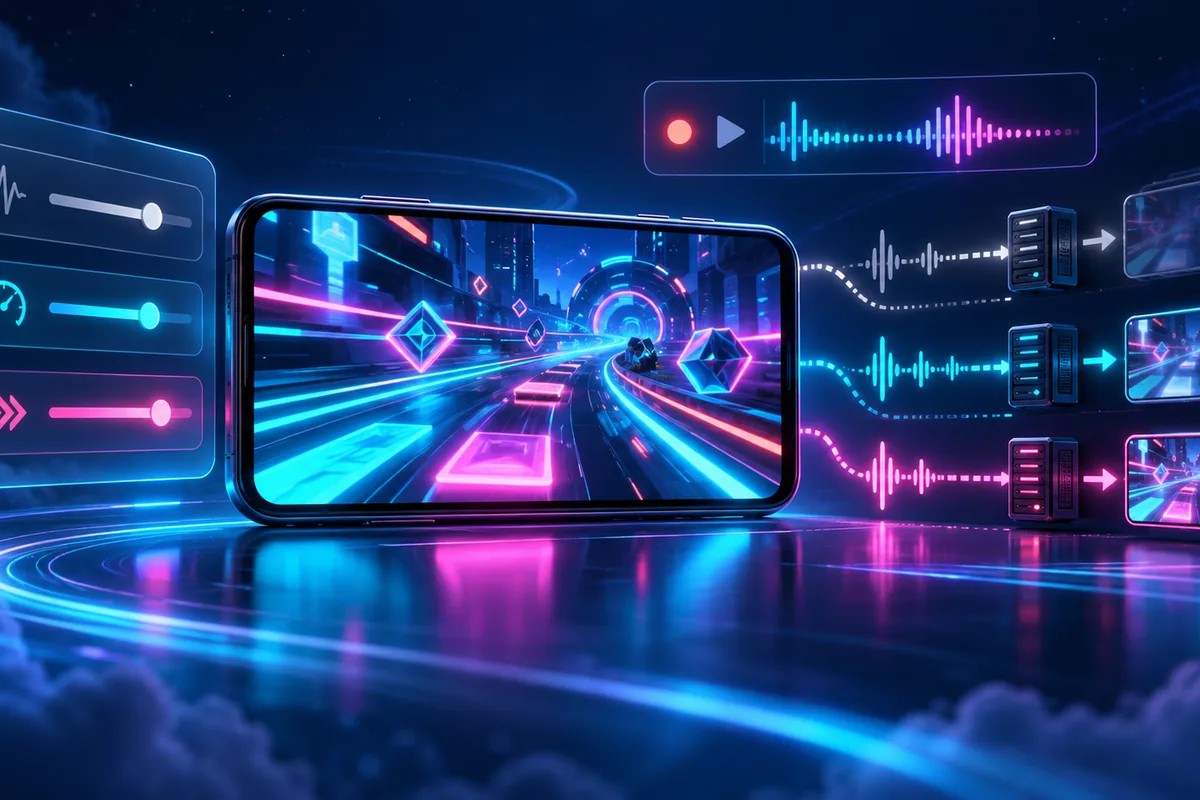
youtube live stream latency settings for gaming guide for Bangladesh gamers, updated October 2026

YouTube Live Latency Settings for Gaming: Normal, Low or Ultra-Low? — 2026 [S3]

The best YouTube live stream latency settings for gaming depend on how you interact with viewers. As of October 2026, Normal latency suits non-interactive broadcasts, Low latency suits limited audience interaction, and Ultra-low latency suits highly interactive streams with real-time engagement. [S2][S4][S5]

Start with your stream’s purpose rather than treating the fastest option as the automatic winner. YouTube describes Normal as having the lowest amount of viewer buffering, Low as a balance between the other options, and Ultra-low as an option that may increase buffering. [S2][S4][S5]

The settings and limitations below are presented as of October 2026. [S3] Use them to compare audience interaction, playback reliability and resolution support before choosing your stream’s latency mode. [S2][S4][S5]

What Each Latency Mode Offers

Normal latency: YouTube recommends this mode for non-interactive live streams. It describes Normal as the highest-quality setting for viewers because it has the lowest amount of viewer buffering. All resolutions and live features are supported. [S2][S4]

For a gaming broadcast, consider whether you actually plan to interact with the audience. If the answer is no, Normal matches YouTube’s stated use case. There is no need to choose an interaction-focused mode simply because the content is gaming. [S4]

Low latency: YouTube recommends this mode for limited audience interaction, particularly when you do not need to wait for responses, such as with polls. Most viewers will experience latency of less than 10 seconds. [S2]

YouTube calls Low a good balance between the other options. However, it does not support 4K resolution. That limitation matters if your intended stream resolution is part of your decision. [S2]

Ultra-low latency: YouTube recommends this mode for highly interactive live streams and conversations with the audience. Most viewers will experience latency of less than 5 seconds. [S5]

The trade-off is a greater chance of viewer buffering. Ultra-low also does not support 4K resolution, and live ingestion issues on your network affect viewers more in this mode. [S5]

Match the Setting to Your Audience Interaction

Ask yourself: “Am I broadcasting gameplay for people to watch, or am I planning a conversation with them?” YouTube’s recommendations separate non-interactive streams, limited interaction and highly interactive engagement rather than prescribing a single mode for every broadcast. [S2][S4][S5]

  • No planned audience interaction: Normal matches YouTube’s recommendation for non-interactive broadcasts and offers the lowest amount of viewer buffering. [S4]
  • Occasional interaction without waiting for replies: Low matches YouTube’s limited-interaction recommendation. [S2]
  • Conversation with viewers: Ultra-low matches YouTube’s recommendation for highly interactive streams, with an increased buffering risk. [S5]

Also separate your interaction needs from your resolution needs. Normal supports all resolutions and live features, while Low and Ultra-low do not support 4K resolution. Choosing a mode therefore involves more than comparing the documented viewer delays. [S2][S4][S5]

Where to Change YouTube Stream Latency

As of October 2026, YouTube documents the following route through Live Control Room to select stream latency. [S3]

  • Open YouTube Studio. [S3]
  • At the top right, select Create, then Go live. [S3]
  • Enter your live stream details. [S3]
  • On the right menu, select Stream or Manage. [S3]
  • From the stream dashboard, open Stream Settings. [S3]
  • Under Stream latency, select your latency option. [S3]

There is an important exception: YouTube’s webcam and mobile streaming are always set up for interactivity. You cannot select a live stream latency setting for those streaming methods. [S4]

Connection Stability and Viewer Buffering

Network congestion and other factors can delay a stream, even when the network can sustain its average streaming bitrate. Viewers’ players generally handle changes in internet speed by keeping extra live stream data. YouTube calls this Buffer Health in Stats for Nerds. [S1]

Imagine a gaming broadcast from Bangladesh where the connection becomes unstable. This is a scenario, not a claim about local network performance. The relevant warning is YouTube’s: live ingestion issues affect viewers more with Ultra-low latency, and the connection should sustain the selected streaming bitrate. [S5]

Do not judge the options on delay alone. Normal’s lower buffering, Low’s middle-ground positioning and Ultra-low’s interaction focus are different priorities, not interchangeable promises of better playback. [S2][S4][S5]

For related reading on HunterGamer, explore the mobile games category or browse the informational top-up guides hub.

FAQ

Is Ultra-low latency always the best choice?
No. YouTube recommends it for highly interactive streams, but it may increase viewer buffering. Normal is recommended for non-interactive broadcasts. [S4][S5]

Can Low or Ultra-low latency support 4K?
As of October 2026, neither mode supports 4K resolution. Normal supports all resolutions and live features. [S2][S4][S5]

Can I choose latency when streaming through YouTube’s mobile or webcam options?
No. Those methods are always set up for interactivity, and YouTube does not allow a live stream latency selection for them. [S4]


Previous Post

Sage in Valorant: Character Profile, Role and Abilities Explained

Related Posts

sage valorant character profile guide for Bangladesh gamers, updated October 2026
News

Sage in Valorant: Character Profile, Role and Abilities Explained

October 19, 2026
valorant multithreaded rendering on or off guide for Bangladesh gamers, updated October 2026
News

VALORANT Multithreaded Rendering: When to Turn It On or Off

October 19, 2026
youtube mobile live streaming requirements guide for Bangladesh gamers, updated October 2026
News

YouTube Mobile Live Streaming Requirements: A Guide for Gaming Streamers in Bangladesh

October 18, 2026

Categories

  • Mobile Games
  • News
  • PC Games
  • PUBG
  • Reviews
  • Xbox One

Topics

2024 PUBG tricks Best Fortnite Xp Maps Best Games Browser Cyberpunk Days Gone Fortnite Fortnite Xp Maps Gamer Lag fix Offer PMPL 2023 South Asia PUBG PUBG game performance PUBG mobile lag fix PUBG Mobile Redeem Codes 2023 X-Box Xp Maps
  • Privacy Policy and Data Protection
  • Terms and Conditions of Website Use
  • Refund and Returns Policy for Digital Products
Call us: +880 1711 189127

Copyright © 2020 - 2026 Hunter Gamer · All Rights Reserved.

Welcome Back!

Login to your account below

Forgotten Password?

Retrieve your password

Please enter your username or email address to reset your password.

Log In
No Result
View All Result
  • Home
  • Mobile Games
    • PUBG
    • Fortnite
  • PC Games
  • Reviews
  • News
  • Insights
  • Gaming Streamers Directory for Fans
    • Australia
    • Bangladesh
    • Canada
    • Hong Kong
    • India
    • Indonesia
    • Malaysia
    • Moroccan
    • Nepal
    • Singapore
    • Spain
    • Taiwan
    • Thailand
    • Türkiye
    • United Kingdom
    • United States
    • Vietnam

Copyright © 2020 - 2026 Hunter Gamer · All Rights Reserved.