• Latest
  • Trending
  • All
youtube gaming live chat moderation settings guide for Bangladesh gamers, updated October 2026

YouTube Gaming Live Chat Moderation: Slow Mode, Blocked Words and Moderators

October 28, 2026
valorant muted words list settings guide for Bangladesh gamers, updated October 2026

VALORANT Muted Words List: How to Filter Unwanted Text Chat

October 29, 2026
youtube gaming stream keyframe interval obs guide for Bangladesh gamers, updated October 2026

YouTube Gaming Stream Keyframe Interval in OBS: What to Set and Where

October 29, 2026
call of duty mobile review guide for Bangladesh gamers, updated October 2026

Call of Duty: Mobile Review: Multiplayer and Battle Royale for PUBG Players

October 28, 2026
obs microphone noise suppression settings guide for Bangladesh gamers, updated October 2026

OBS Microphone Noise Suppression: Reduce Fan Noise in Gaming Streams

October 28, 2026
valorant shooting error graph settings guide for Bangladesh gamers, updated October 2026

VALORANT Shooting Error Graph: How to Enable It and Check Your Accuracy

October 28, 2026
valorant raw input buffer setting guide for Bangladesh gamers, updated October 2026

VALORANT Raw Input Buffer Explained: Can You Still Change This Setting?

October 28, 2026
valorant raw input buffer guide for Bangladesh gamers, updated October 2026

VALORANT Raw Input Buffer Explained: Mouse Input, Polling Rate and Settings Changes

October 28, 2026
minecraft java auto jump off guide for Bangladesh gamers, updated October 2026

How to Turn Off Auto-Jump in Minecraft Java Edition

October 28, 2026
obs dropped frames fix guide for Bangladesh gamers, updated October 2026

OBS Dropped Frames Fix: Troubleshoot Gaming Stream Connection Issues in Bangladesh

October 28, 2026
obs dropped frames network fix guide for Bangladesh gamers, updated October 2026

OBS Dropped Frames (Network): Troubleshooting Gaming Streams in Bangladesh

October 28, 2026
obs auto configuration wizard Bangladesh guide for Bangladesh gamers, updated October 2026

OBS Auto-Configuration Wizard: Setup Guide for Gamers in Bangladesh

October 28, 2026
valorant hide outlines and fresnel setting guide for Bangladesh gamers, updated October 2026

VALORANT Hide Outlines and Fresnel: What the Setting Does and When to Use It

October 28, 2026
  • About Our Gaming News Team Since 2019
  • Advertising & Sponsorship Opportunities
  • Contact Us for Gaming News & Support
Thursday, October 29, 2026
  • Login
Hunter Gamer
  • Shop
  • Home
  • Mobile Games
    • PUBG
    • Fortnite
  • PC Games
  • Reviews
  • News
  • Insights
  • Streamers
    • Australia
    • Bangladesh
    • Canada
    • Hong Kong
    • India
    • Indonesia
    • Malaysia
    • Moroccan
    • Nepal
    • Singapore
    • Spain
    • Taiwan
    • Thailand
    • Türkiye
    • United Kingdom
    • United States
    • Vietnam
  • Online Games
    • Dex Ball

No products in the cart.

No Result
View All Result
Hunter Gamer
  • Shop
  • Home
  • Mobile Games
    • PUBG
    • Fortnite
  • PC Games
  • Reviews
  • News
  • Insights
  • Streamers
    • Australia
    • Bangladesh
    • Canada
    • Hong Kong
    • India
    • Indonesia
    • Malaysia
    • Moroccan
    • Nepal
    • Singapore
    • Spain
    • Taiwan
    • Thailand
    • Türkiye
    • United Kingdom
    • United States
    • Vietnam
  • Online Games
    • Dex Ball
No Result
View All Result
Hunter Gamer
No Result
View All Result

YouTube Gaming Live Chat Moderation: Slow Mode, Blocked Words and Moderators

October 28, 2026
in News
Reading Time: 4 mins read
0 0
Home News
2
VIEWS
Share on FacebookShare on Twitter
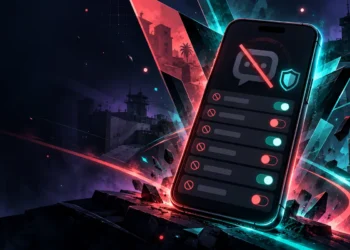
youtube gaming live chat moderation settings guide for Bangladesh gamers, updated October 2026

YouTube Gaming Live Chat Moderation Settings: Slow Mode, Blocked Words and Moderators in 2026

For YouTube gaming live chat moderation settings, the key controls covered here are slow mode, blocked words and moderator roles. Slow mode limits how often each user can comment, while blocked words target messages containing or closely matching words on your list. [S4][S3]

Settings reference: as of October 2026. The supplied YouTube Help excerpts support the controls described below, but they do not establish every menu step, permitted delay value or moderator permission. Where the evidence stops, this guide leaves the detail unspecified rather than presenting a guessed setting.

Slow Mode: Control How Often Viewers Can Comment

As of October 2026, slow mode works by setting a time limit between comments from each user. The channel owner, moderators and YouTube channel members are exempt from that limit. [S4]

The important distinction is that this is a per-user commenting limit. It controls how often an affected user can comment; it is not described as a limit on the total number of messages across the entire chat. [S4]

The supplied instructions place the streaming control in Live Control Room: create a live stream, select Edit, then Customization, and look under Message delay. [S4] However, the excerpt cuts off during the instruction for enabling slow mode, so it does not provide a complete activation sequence.

No permitted delay range is established by the supplied evidence. This guide therefore does not suggest a delay value or claim that a particular value is best for gaming streams.

Blocked Words and Automatic Moderation

As of October 2026, creators can create a blocked-word list in YouTube Studio to block live chat messages that contain or closely match certain words. [S3] This is a different control from slow mode: the blocked-word description concerns message content, while slow mode concerns the interval between comments. [S3][S4]

The phrase “closely match” matters. YouTube’s supplied description does not limit the feature to messages containing an exact match, although it does not explain how close matching is evaluated. [S3]

The evidence points to a separate YouTube Studio guide for adding blocked words, but it does not include that guide’s complete menu path. [S3] A detailed click-by-click blocked-word setup would therefore go beyond the available material.

For automatic moderation settings, the confirmed permission rule is that only a channel owner or managing moderator can change them. [S4] The supplied excerpts do not establish the full procedure for enabling the review of potentially inappropriate messages, so that procedure is not reproduced here.

Standard and Managing Moderators

As of October 2026, YouTube’s supplied instructions identify both Managing moderators and Standard moderator fields. The described route is YouTube Studio, Settings, Community moderation, then the User management tab. Enter the channel URL in the relevant moderator field and select Save. [S3]

The clearest confirmed role difference concerns automatic moderation: changing those settings requires the channel owner or a managing moderator. [S4] The excerpt does not provide a complete permission comparison, so it would be misleading to present a longer checklist of actions for each role.

Moderators are also among the users exempt from slow mode. [S4] Keep that exemption separate from the automatic-moderation permission rule: the evidence describes moderator exemptions broadly, but specifically names managing moderators when discussing who can change automatic moderation settings. [S4]

Subscriber-Only Chat and Desktop Versus Mobile

As of October 2026, subscriber-only chat can require viewers to have been subscribed for a specified length of time. That setting can be changed before and during a live stream or Premiere. [S1] The supplied evidence does not list the available duration options.

For Premieres specifically, the documented route is YouTube Studio, Content, the relevant Premiere, then Details, Show More and Live chat. Under Participants mode, select Subscribers. Viewers are notified that subscriber-only chat is enabled and how long they must have been subscribed to send messages. [S1]

Device differences are more narrowly documented. On a computer, hover over a message and select More, then Go to channel. On mobile, tap the message and select Go to channel. [S5]

Channel Activity from the live chat feed is described as desktop-only. Channel owners and moderators can access public user history through that menu option. [S5] This confirms a specific desktop-only tool, not a complete desktop-versus-mobile feature comparison.

For related reading, explore the mobile games category or the informational top-up guides hub.

FAQ

Does slow mode apply to moderators?
No. As of October 2026, the channel owner, moderators and YouTube channel members are not limited by slow mode. [S4]

Who can change automatic moderation settings?
As of October 2026, you must be the channel owner or a managing moderator to change automatic moderation settings. [S4]

Can moderators access Channel Activity on mobile?
The supplied documentation describes Channel Activity access from the live chat feed as desktop-only. [S5]

Previous Post

VALORANT Raw Input Buffer Explained: Can You Still Change This Setting?

Next Post

VALORANT Shooting Error Graph: How to Enable It and Check Your Accuracy

Related Posts

valorant muted words list settings guide for Bangladesh gamers, updated October 2026
News

VALORANT Muted Words List: How to Filter Unwanted Text Chat

October 29, 2026
youtube gaming stream keyframe interval obs guide for Bangladesh gamers, updated October 2026
News

YouTube Gaming Stream Keyframe Interval in OBS: What to Set and Where

October 29, 2026
call of duty mobile review guide for Bangladesh gamers, updated October 2026
News

Call of Duty: Mobile Review: Multiplayer and Battle Royale for PUBG Players

October 28, 2026
Next Post
valorant shooting error graph settings guide for Bangladesh gamers, updated October 2026

VALORANT Shooting Error Graph: How to Enable It and Check Your Accuracy

obs microphone noise suppression settings guide for Bangladesh gamers, updated October 2026

OBS Microphone Noise Suppression: Reduce Fan Noise in Gaming Streams

call of duty mobile review guide for Bangladesh gamers, updated October 2026

Call of Duty: Mobile Review: Multiplayer and Battle Royale for PUBG Players

Categories

  • Mobile Games
  • News
  • PC Games
  • PUBG
  • Reviews
  • Xbox One

Topics

2024 PUBG tricks Best Fortnite Xp Maps Best Games Browser Cyberpunk Days Gone Fortnite Fortnite Xp Maps Gamer Lag fix Offer PMPL 2023 South Asia PUBG PUBG game performance PUBG mobile lag fix PUBG Mobile Redeem Codes 2023 X-Box Xp Maps
  • Top-Up Shop
  • About Us
  • Contact
  • Privacy Policy and Data Protection
  • Terms and Conditions of Website Use
  • Refund and Returns Policy for Digital Products
Call us: +880 1711 189127

Copyright © 2020 - 2026 Hunter Gamer · All Rights Reserved.

Welcome Back!

Login to your account below

Forgotten Password?

Retrieve your password

Please enter your username or email address to reset your password.

Log In
No Result
View All Result
  • Shop
  • Home
  • Mobile Games
    • PUBG
    • Fortnite
  • PC Games
  • Reviews
  • News
  • Insights
  • Streamers
    • Australia
    • Bangladesh
    • Canada
    • Hong Kong
    • India
    • Indonesia
    • Malaysia
    • Moroccan
    • Nepal
    • Singapore
    • Spain
    • Taiwan
    • Thailand
    • Türkiye
    • United Kingdom
    • United States
    • Vietnam
  • Online Games
    • Dex Ball

Copyright © 2020 - 2026 Hunter Gamer · All Rights Reserved.