• Latest
  • Trending
  • All
Streaming connection from a home router to a server with missing video frames

OBS Dropped Frames (Network): Troubleshooting Gaming Streams in Bangladesh

November 16, 2026
Symbolic illustration of floating glass control panels with gold and orange buttons above a landscape phone.

Free Fire HUD Share Code: Import and Setup Guide (2026)

November 18, 2026
Illustration of a tilted phone above training targets with an amber rotation arrow.

PUBG Mobile Gyroscope Not Working? 2026 Checklist

November 17, 2026
A curved gaming monitor showing a colorful game scene with a glowing timeline bar below it, one segment highlighted in gold.

Steam Game Recording Guide 2026: Save and Export Clips

November 17, 2026
Two smartphones moving a glowing stream with a soccer ball from the old phone to the new phone under stadium lights.

eFootball Mobile Data Transfer: New Phone Guide (2026)

November 16, 2026
A smartphone wrapped in a glowing orange energy dome with a chain of light linking it to a floating shield emblem.

How to Bind a Free Fire Guest Account Safely in 2026

November 16, 2026
A golden footballer hologram rising from a smartphone screen toward a floating golden shield with a check mark.

PUBG Mobile Account Recovery 2026: Choose the Right Option

November 16, 2026
valorant settings guide hero

VALORANT Settings Guide: Seven Options Worth Checking

November 16, 2026
Five glowing crystal obelisks in different colors on a dark arena floor.

VALORANT Agent Profiles: All Abilities, Roles and How to Play Them

November 16, 2026
Blue and amber blocks labeled Version 4.7, November 12, and Flash, November 13, 2026.

PUBG Mobile 4.7 and Flash Release Dates: November 2026

November 16, 2026
Editorial illustration of a stylized game profile screen with an ornamental nickname banner made of star and bracket symbols above a stat panel.

PUBG Mobile Name Symbols 2026: What Works and How to Change Your Name

November 16, 2026
Editorial illustration of a rugged metal supply capsule descending by parachute onto a rocky island as a storm and distant lightning gather over the sea.

Free Fire Storm Arena 2026: Free Rewards and What to Check

November 16, 2026
OBS virtual camera settings for gaming calls guide for Bangladesh gamers, updated November 2026

How to Set Up OBS Virtual Camera for Gaming Calls

November 16, 2026
  • About Hunter Gamer
  • Advertising & Sponsorship Opportunities
  • Contact Us for Gaming News & Support
Wednesday, November 18, 2026
  • Login
Hunter Gamer
  • Shop
  • Home
  • Mobile Games
    • PUBG
  • PC Games
  • Reviews
  • News
  • Insights
  • Streamers
    • Australia
    • Bangladesh
    • Canada
    • Hong Kong
    • India
    • Indonesia
    • Malaysia
    • Moroccan
    • Nepal
    • Singapore
    • Spain
    • Taiwan
    • Thailand
    • Türkiye
    • United Kingdom
    • United States
    • Vietnam
  • Online Games
    • Dex Ball

No products in the cart.

No Result
View All Result
Hunter Gamer
  • Shop
  • Home
  • Mobile Games
    • PUBG
  • PC Games
  • Reviews
  • News
  • Insights
  • Streamers
    • Australia
    • Bangladesh
    • Canada
    • Hong Kong
    • India
    • Indonesia
    • Malaysia
    • Moroccan
    • Nepal
    • Singapore
    • Spain
    • Taiwan
    • Thailand
    • Türkiye
    • United Kingdom
    • United States
    • Vietnam
  • Online Games
    • Dex Ball
No Result
View All Result
Hunter Gamer
No Result
View All Result

OBS Dropped Frames (Network): Troubleshooting Gaming Streams in Bangladesh

November 16, 2026
in News
Reading Time: 4 mins read
0 0
Home News
9
VIEWS
Share on FacebookShare on Twitter

OBS Dropped Frames (Network): Troubleshooting Gaming Streams in Bangladesh in 2026

For an OBS dropped frames network fix, start with the stream connection rather than assuming the problem is your game. OBS identifies dropped frames and intermittent streaming disconnections as signs of a network issue. Its troubleshooting guidance includes trying a different streaming server and lowering video bitrate to suit a stable upload connection.

This guide is for gaming streamers in Bangladesh who want to work through those connection-focused options. The settings paths below are presented as of October 2026, using the OBS troubleshooting reference.

Start With the Network Symptom

Keep the troubleshooting focused on what OBS is reporting. The official stream-connection guide addresses dropped frames and intermittent disconnections during streaming as network problems. That is the starting point for the connection checks in this article.

The practical question is not simply whether your internet connection works. OBS guidance focuses on the connection between OBS Studio and the streaming server, including software that may interfere with that connection and the server selected for the stream.

For that reason, begin with the supported connection troubleshooting options below: investigate VPN or security-software interference, try another streaming server, and review video bitrate. These are all actions included in the official troubleshooting material.

Check VPN and Security-Software Interference

OBS warns that VPN software may result in an unstable connection to the streaming server. Its recommended troubleshooting step is to disable the VPN to see whether it is causing the instability. Treat this as a check for a possible cause, rather than assuming every VPN is responsible for dropped frames.
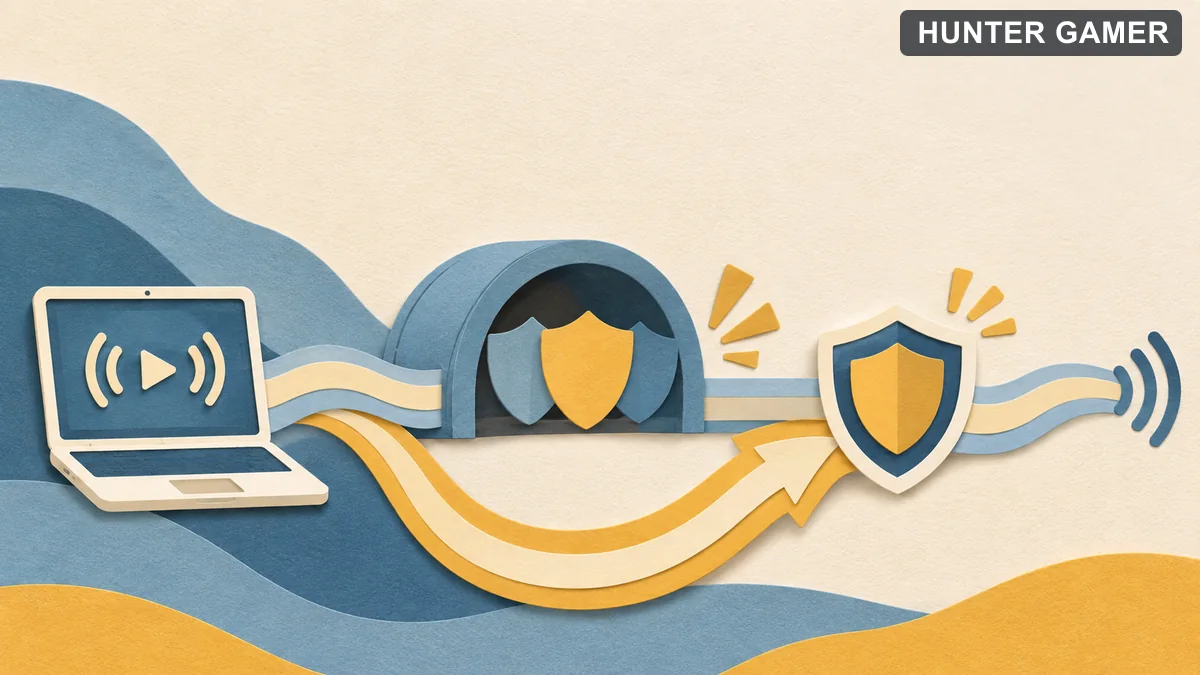
Streaming signal routed around possible interference while a security shield remains active

Security software is another possible source of interference. According to OBS, a firewall or antivirus application may interfere with the connection between OBS Studio and the streaming server. The guide describes temporarily disabling that software to confirm whether it is involved.

The important follow-through is to restore protection. If the connection problem stops during that temporary check, OBS recommends adding an exception for OBS Studio and re-enabling the security software. Leaving the protection disabled is not the recommended follow-up.

Try a Different Streaming Server

As of October 2026, the OBS guidance directs you to Settings → Stream to try a different streaming server. Server selection is therefore a documented troubleshooting option when your current stream connection is unstable.

For Twitch streaming on Windows, OBS also points to TwitchTest as a way to find the server with the best Quality score. This advice is specifically framed around Twitch and Windows; it should not be presented as a universal tool for every streaming platform.

Keep this step focused on the destination used by OBS. The official recommendation is to try streaming to another server, giving you a connection-related option to investigate before treating the issue as a game-performance problem.

Lower Video Bitrate to Match Stable Upload Capacity

As of October 2026, OBS lists Settings → Output → Video Bitrate as the place to lower streaming video bitrate. The accompanying guidance says bitrate depends on stable upload speed, so the relevant consideration is what the connection can sustain.
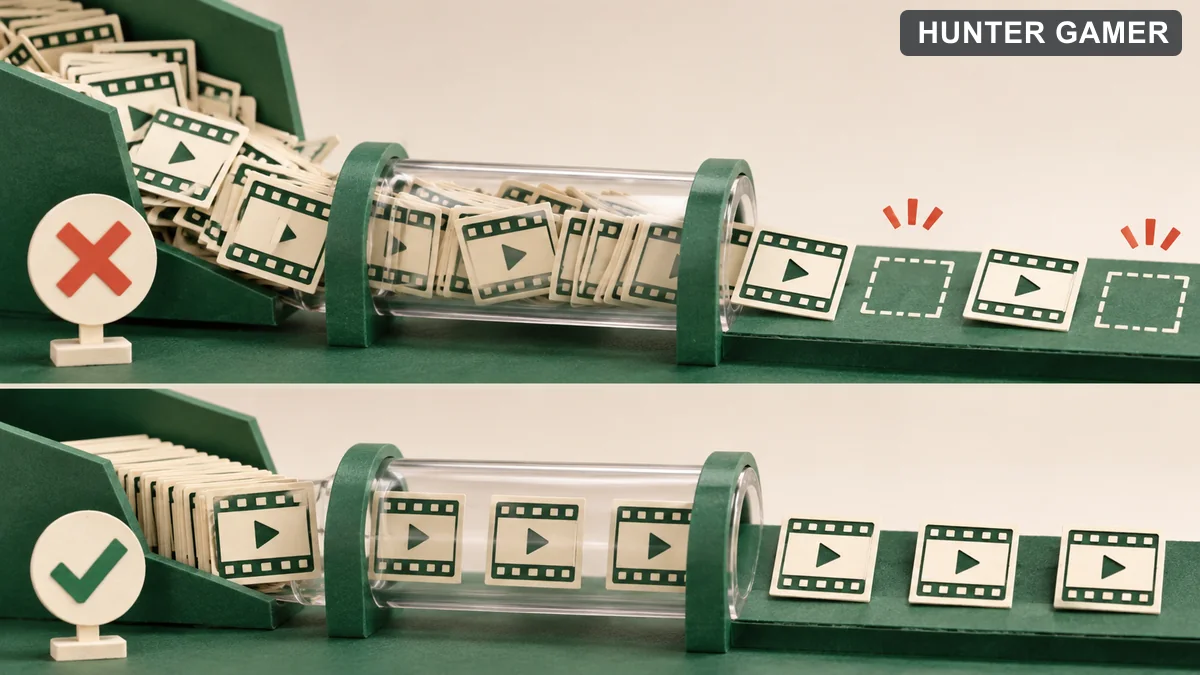
Video frames clogging a narrow connection compared with a smoother lower-volume flow

This makes lowering bitrate a documented troubleshooting step, not a reason to copy an arbitrary preset. The guidance ties the choice to stable upload capacity rather than providing a universal bitrate for every streamer.

OBS also lists a congestion-related option. As of October 2026, go to Settings → Advanced → Network and enable Dynamically change bitrate to manage congestion. That is the location and option label given in the troubleshooting material.

Keep the distinction clear: lowering Video Bitrate is an output adjustment, while the dynamic-bitrate checkbox is listed under the advanced network options. Both appear in the OBS stream-connection troubleshooting guidance.

For related reading on HunterGamer, explore the mobile games category or the informational top-up guides hub.

FAQ

Can a VPN cause OBS stream instability?

Yes. OBS lists VPN software as a possible cause of an unstable connection to the streaming server and recommends disabling it to check whether it is responsible.

Where can I lower streaming bitrate?

As of October 2026, the guidance points to Settings → Output → Video Bitrate. OBS recommends lowering it as a troubleshooting step and relating bitrate to stable upload speed.

What if security software is interfering with OBS?

If a temporary check confirms the interference, OBS recommends adding an exception for OBS Studio and re-enabling the security software.
Published by

Hunter Gamer

Hunter Gamer has covered games, esports, and streamers for readers in Bangladesh and beyond since 2019. The site publishes gaming news and explainers, practical settings and troubleshooting guides for mobile and PC players, Bangladesh buying information for gaming hardware and digital products, and profiles of creators alongside their official channels.

Articles are built on official game, platform, and product information where it is available, and sources are linked when a claim needs attribution. Because prices, release dates, and game settings change, each article carries a review date and readers are asked to check the linked source before buying anything or changing an account setting. Where something cannot be verified, the article says so rather than guessing. Articles are revised when an error is found or when a change makes an older guide misleading — corrections and news tips are welcome through the contact page.

About Hunter GamerSpotted an error? Tell us

Previous Post

OBS Auto-Configuration Wizard: Setup Guide for Gamers in Bangladesh

Next Post

YouTube Gaming Live Chat Moderation: Slow Mode, Blocked Words and Moderators

Related Posts

Blue and amber blocks labeled Version 4.7, November 12, and Flash, November 13, 2026.
Mobile Games

PUBG Mobile 4.7 and Flash Release Dates: November 2026

November 16, 2026
Editorial illustration of a rugged metal supply capsule descending by parachute onto a rocky island as a storm and distant lightning gather over the sea.
News

Free Fire Storm Arena 2026: Free Rewards and What to Check

November 16, 2026
OBS virtual camera settings for gaming calls guide for Bangladesh gamers, updated November 2026
News

How to Set Up OBS Virtual Camera for Gaming Calls

November 16, 2026
Next Post
Slow mode, blocked-word filter and human moderation illustrated as a chat flow

YouTube Gaming Live Chat Moderation: Slow Mode, Blocked Words and Moderators

Microphone shielded from PC fan noise by a soft acoustic boundary

OBS Microphone Noise Suppression: Reduce Fan Noise in Gaming Streams

Two mobile game scenes comparing a large battle royale island with a compact multiplayer arena

Call of Duty: Mobile Overview for PUBG Players: Modes, Loadouts, and What to Try

Comments 1

  1. Pingback: How to Set Up OBS Virtual Camera for Gaming Calls

Categories

  • Mobile Games
  • News
  • PC Games
  • PUBG
  • Reviews

Topics

2024 PUBG tricks Best Fortnite Xp Maps Best Games Cyberpunk Days Gone Fortnite Fortnite Xp Maps Gamer Lag fix PMPL 2023 South Asia PUBG PUBG game performance PUBG mobile lag fix PUBG Mobile Redeem Codes 2023 Xp Maps
  • Top-Up Shop
  • About Us
  • Contact
  • Privacy Policy and Data Protection
  • Terms and Conditions of Website Use
  • Refund and Returns Policy for Digital Products
Call us: +880 1711 189127

Copyright © 2020 - 2026 Hunter Gamer · All Rights Reserved.

Welcome Back!

Login to your account below

Forgotten Password?

Retrieve your password

Please enter your username or email address to reset your password.

Log In
No Result
View All Result
  • Shop
  • Home
  • Mobile Games
    • PUBG
  • PC Games
  • Reviews
  • News
  • Insights
  • Streamers
    • Australia
    • Bangladesh
    • Canada
    • Hong Kong
    • India
    • Indonesia
    • Malaysia
    • Moroccan
    • Nepal
    • Singapore
    • Spain
    • Taiwan
    • Thailand
    • Türkiye
    • United Kingdom
    • United States
    • Vietnam
  • Online Games
    • Dex Ball

Copyright © 2020 - 2026 Hunter Gamer · All Rights Reserved.