• Latest
  • Trending
  • All
Illustration of an amber supply crate descending by parachute over a rocky island beneath lightning and dark storm clouds.

Free Fire Storm Arena 2026: Free Rewards and What to Check

November 9, 2026
OBS virtual camera settings for gaming calls guide for Bangladesh gamers, updated November 2026

How to Set Up OBS Virtual Camera for Gaming Calls

November 9, 2026
Editorial game illustration of Fade's watcher marking opponents and a Prowler following a Terror Trail

Fade Valorant Character Profile: Role, Abilities, and Beginner Tips

November 6, 2026
Editorial illustration of separate voice, game and combined audio recordings on translucent tapes

OBS Separate Audio Tracks: Record Your Mic and Game Audio for Stream Highlights

November 6, 2026
Editorial microphone and audio meter with a physical stop marking the output ceiling

OBS Microphone Limiter Settings: Control Loud Voice Peaks in Gaming Streams

November 6, 2026
Editorial game illustration of a cybernetic forearm sending a seismic pulse through a wall as a teammate waits

Breach Valorant Character Profile: Role, Abilities and Teamplay Basics

November 6, 2026
Editorial game illustration of a nature-inspired scout sending a hawk and animal ahead while teammates receive healing under cover

Skye Valorant Character Profile: Role, Abilities and Teamplay Basics

November 6, 2026
Editorial illustration of a desktop notification being copied from a gaming display into a public stream

How to Keep Desktop Notifications Off Your Gaming Stream in OBS

November 6, 2026
Editorial router and game controller beside an observational graph with fluctuating connection peaks

VALORANT Network Stats Settings: Check Ping Spikes and Connection Jitter

November 6, 2026
Editorial audio mixer with game-sound level lowering while microphone speech rises

OBS Audio Ducking: Lower Game Sound Automatically While You Talk

November 6, 2026
Two mobile game scenes comparing a large battle royale island with a compact multiplayer arena

Call of Duty: Mobile Overview for PUBG Players: Modes, Loadouts, and What to Try

November 6, 2026
Microphone shielded from PC fan noise by a soft acoustic boundary

OBS Microphone Noise Suppression: Reduce Fan Noise in Gaming Streams

November 6, 2026
Illustration of recent practice shots with a shooting-error trace

VALORANT Shooting Error Graph: What It Shows and How to Use It

November 6, 2026
  • About Hunter Gamer
  • Advertising & Sponsorship Opportunities
  • Contact Us for Gaming News & Support
Monday, November 9, 2026
  • Login
Hunter Gamer
  • Shop
  • Home
  • Mobile Games
    • PUBG
    • Fortnite
  • PC Games
  • Reviews
  • News
  • Insights
  • Streamers
    • Australia
    • Bangladesh
    • Canada
    • Hong Kong
    • India
    • Indonesia
    • Malaysia
    • Moroccan
    • Nepal
    • Singapore
    • Spain
    • Taiwan
    • Thailand
    • Türkiye
    • United Kingdom
    • United States
    • Vietnam
  • Online Games
    • Dex Ball

No products in the cart.

No Result
View All Result
Hunter Gamer
  • Shop
  • Home
  • Mobile Games
    • PUBG
    • Fortnite
  • PC Games
  • Reviews
  • News
  • Insights
  • Streamers
    • Australia
    • Bangladesh
    • Canada
    • Hong Kong
    • India
    • Indonesia
    • Malaysia
    • Moroccan
    • Nepal
    • Singapore
    • Spain
    • Taiwan
    • Thailand
    • Türkiye
    • United Kingdom
    • United States
    • Vietnam
  • Online Games
    • Dex Ball
No Result
View All Result
Hunter Gamer
No Result
View All Result

Free Fire Storm Arena 2026: Free Rewards and What to Check

November 9, 2026
in News, Mobile Games
Reading Time: 5 mins read
0 0
Home News
4
VIEWS
Share on FacebookShare on Twitter

By Hunter Gamer · November 9, 2026

Free Fire’s Storm Arena campaign launched on November 6, 2026, bringing storm-themed Battle Royale and Clash Squad features, Player Card progression and free cosmetic rewards. The important distinction is between what Garena has announced and what your account’s event panel actually requires. A reward appearing in promotional artwork does not mean every item is free or immediately claimable.

This guide separates the confirmed changes from details you should check before playing for a reward. It is based on Garena’s November 4 announcement and the current official Google Play listing, checked on November 9. We have not independently tested the event in-game.
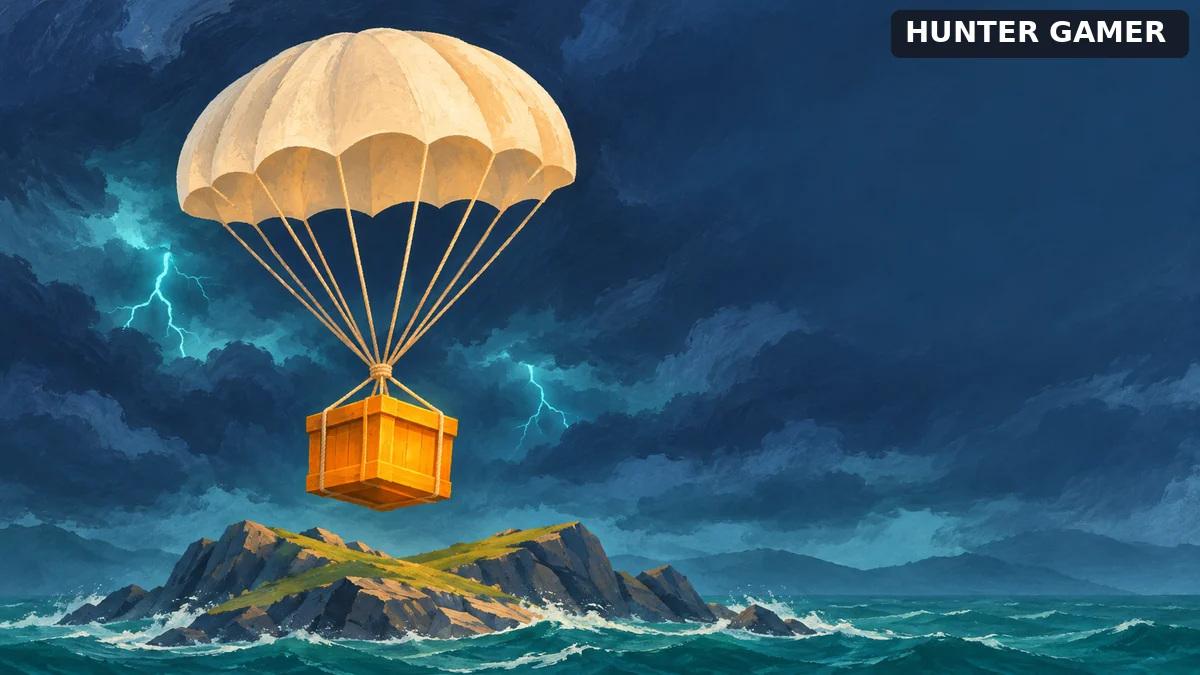
Illustration of an amber supply crate descending by parachute over a rocky island beneath lightning and dark storm clouds.
AI-generated editorial illustration, not a Free Fire screenshot or official artwork.

What changes in Battle Royale and Clash Squad?

In Battle Royale, Storm Arena adds team banners, an esports-themed arrival and lightning effects around the closing Safe Zone. These are the visible changes. The more useful feature to understand is the MVP Squad System: Garena says it periodically ranks squads by eliminations, with top squads receiving special Storm Airdrops.

The official app listing also describes Storm Weapons. Eliminations with these weapons trigger a temporary highlight effect and buff, and additional eliminations extend their duration. Neither source gives enough detail to publish an exact buff strength, duration or universal weapon ranking, so we are not supplying those numbers.

Our practical advice is to treat the extra airdrop as an opportunity, not a reason to abandon cover or split from your squad. A reward for eliminations creates an incentive to fight, but it does not tell you whether a particular fight is worth taking. Check your team’s position and route to the next zone first.

Clash Squad gets a different emphasis: a Prime MVP Showcase with player statistics and head-to-head comparisons, alongside storm-themed changes to the spawn area, shop and reward crates. Do not assume the Battle Royale squad-ranking system and the Clash Squad presentation use the same rules. Garena describes them as separate features.

Which Storm Arena rewards are confirmed as free?

Garena explicitly lists an MP5 gun skin, an emote and a Monster Truck vehicle skin among the campaign’s free rewards. It also announces FFWS-themed jerseys and avatars representing the participating teams through tournament-themed events.

That confirms reward categories, not the full claim process. The announcement does not provide every mission target, token requirement or claim deadline. Before committing to a long session, open the relevant event page in your game and check:

  • The exact reward: confirm the displayed item is the one you want.
  • The qualifying activity: read which mode or task counts, rather than assuming any match will advance it.
  • The timer: note the deadline shown for that reward track.
  • The claim step: check whether completion grants the item automatically or leaves a separate claim action.

These are checks to make, not claims that every reward uses the same system. For example, if your panel names a specific mode, completing matches elsewhere may not answer that task. Let the displayed requirements decide your plan.

The Cosmic Overlord Bundle is announced separately from the list of free rewards. Do not treat its appearance in a campaign image as proof that it is free. We have not verified a universal price or acquisition route and will not invent one. Our guide to legitimate free rewards and diamond claims explains why free items and free premium currency should not be confused.

How Storm Reputation and Player Cards fit together

The Storm Arena Mission Event lets players build Storm Reputation through match performance and advance their Player Cards through five named stages: First Time, Big Time, Show Time, Peak Time and Prime Time. Garena says the cards can display highlights, medals and achievement statistics, with customization using team badges, poses and decorations.

Think of this as a separate question from collecting a particular cosmetic: are you trying to improve your card, unlock a listed reward, or both? Do not assume that reaching a card stage automatically awards every item promoted alongside it. The announcement does not establish that connection.

A simple way to avoid wasted effort is to note your card progress and your chosen reward’s progress before a match, then compare both afterward. If only one changes, review the other task’s conditions before repeating the same activity. This is a checking method, not a tested shortcut or a promise of faster progression.

FFWS dates are not every reward’s deadline

The campaign accompanies the FFWS Global Finals 2026 in Bangkok, scheduled for November 6–28. Garena lists the Grand Finals for November 28. Its announcement says the Champion Gloo Wall and Backpack will become available through the FFWS Web Event after the Grand Finals, so they should not be presented as rewards already claimable at the campaign’s launch.

A tournament end date is not enough to establish an individual reward’s claim cutoff. We are deliberately not turning November 28 into a blanket deadline for every mission or item. Use the timer and instructions on the relevant live event page, and check official announcements for changes.

A short plan for your next session

  1. Choose one goal. Pick a specific free item or Player Card milestone instead of chasing everything advertised.
  2. Read the matching task. Confirm the eligible mode, requirements and time remaining in your account.
  3. Play, then verify progress. Check the result before repeating matches on an assumption.
  4. Keep purchases separate. A paid-looking offer beside a free mission is not evidence that payment is required for that mission.
  5. Use official routes. Enter event pages through the game or Garena’s official channels. Do not give a third party your password or verification codes to unlock a reward.

If you are following a separately announced redemption code, use our Free Fire code-checking guide; that is a different process from earning an event mission reward. Storm Arena is worth checking for its confirmed free items and new match features, but the live requirements—not a recycled code list, guessed price or promotional image—should decide what you do next.

Tags: Gamer
Previous Post

How to Set Up OBS Virtual Camera for Gaming Calls

Related Posts

OBS virtual camera settings for gaming calls guide for Bangladesh gamers, updated November 2026
News

How to Set Up OBS Virtual Camera for Gaming Calls

November 9, 2026
Editorial game illustration of Fade's watcher marking opponents and a Prowler following a Terror Trail
News

Fade Valorant Character Profile: Role, Abilities, and Beginner Tips

November 6, 2026
Editorial illustration of separate voice, game and combined audio recordings on translucent tapes
News

OBS Separate Audio Tracks: Record Your Mic and Game Audio for Stream Highlights

November 6, 2026

Categories

  • Mobile Games
  • News
  • PC Games
  • PUBG
  • Reviews
  • Xbox One

Topics

2024 PUBG tricks Best Fortnite Xp Maps Best Games Browser Cyberpunk Days Gone Fortnite Fortnite Xp Maps Gamer Lag fix Offer PMPL 2023 South Asia PUBG PUBG game performance PUBG mobile lag fix PUBG Mobile Redeem Codes 2023 X-Box Xp Maps
  • Top-Up Shop
  • About Us
  • Contact
  • Privacy Policy and Data Protection
  • Terms and Conditions of Website Use
  • Refund and Returns Policy for Digital Products
Call us: +880 1711 189127

Copyright © 2020 - 2026 Hunter Gamer · All Rights Reserved.

Welcome Back!

Login to your account below

Forgotten Password?

Retrieve your password

Please enter your username or email address to reset your password.

Log In
No Result
View All Result
  • Shop
  • Home
  • Mobile Games
    • PUBG
    • Fortnite
  • PC Games
  • Reviews
  • News
  • Insights
  • Streamers
    • Australia
    • Bangladesh
    • Canada
    • Hong Kong
    • India
    • Indonesia
    • Malaysia
    • Moroccan
    • Nepal
    • Singapore
    • Spain
    • Taiwan
    • Thailand
    • Türkiye
    • United Kingdom
    • United States
    • Vietnam
  • Online Games
    • Dex Ball

Copyright © 2020 - 2026 Hunter Gamer · All Rights Reserved.