• Latest
  • Trending
  • All
Two mobile game scenes comparing a large battle royale island with a compact multiplayer arena

Call of Duty: Mobile Overview for PUBG Players: Modes, Loadouts, and What to Try

November 16, 2026
Symbolic illustration of floating glass control panels with gold and orange buttons above a landscape phone.

Free Fire HUD Share Code: Import and Setup Guide (2026)

November 18, 2026
Illustration of a tilted phone above training targets with an amber rotation arrow.

PUBG Mobile Gyroscope Not Working? 2026 Checklist

November 17, 2026
A curved gaming monitor showing a colorful game scene with a glowing timeline bar below it, one segment highlighted in gold.

Steam Game Recording Guide 2026: Save and Export Clips

November 17, 2026
Two smartphones moving a glowing stream with a soccer ball from the old phone to the new phone under stadium lights.

eFootball Mobile Data Transfer: New Phone Guide (2026)

November 16, 2026
A smartphone wrapped in a glowing orange energy dome with a chain of light linking it to a floating shield emblem.

How to Bind a Free Fire Guest Account Safely in 2026

November 16, 2026
A golden footballer hologram rising from a smartphone screen toward a floating golden shield with a check mark.

PUBG Mobile Account Recovery 2026: Choose the Right Option

November 16, 2026
valorant settings guide hero

VALORANT Settings Guide: Seven Options Worth Checking

November 16, 2026
Five glowing crystal obelisks in different colors on a dark arena floor.

VALORANT Agent Profiles: All Abilities, Roles and How to Play Them

November 16, 2026
Blue and amber blocks labeled Version 4.7, November 12, and Flash, November 13, 2026.

PUBG Mobile 4.7 and Flash Release Dates: November 2026

November 16, 2026
Editorial illustration of a stylized game profile screen with an ornamental nickname banner made of star and bracket symbols above a stat panel.

PUBG Mobile Name Symbols 2026: What Works and How to Change Your Name

November 16, 2026
Editorial illustration of a rugged metal supply capsule descending by parachute onto a rocky island as a storm and distant lightning gather over the sea.

Free Fire Storm Arena 2026: Free Rewards and What to Check

November 16, 2026
OBS virtual camera settings for gaming calls guide for Bangladesh gamers, updated November 2026

How to Set Up OBS Virtual Camera for Gaming Calls

November 16, 2026
  • About Hunter Gamer
  • Advertising & Sponsorship Opportunities
  • Contact Us for Gaming News & Support
Wednesday, November 18, 2026
  • Login
Hunter Gamer
  • Shop
  • Home
  • Mobile Games
    • PUBG
  • PC Games
  • Reviews
  • News
  • Insights
  • Streamers
    • Australia
    • Bangladesh
    • Canada
    • Hong Kong
    • India
    • Indonesia
    • Malaysia
    • Moroccan
    • Nepal
    • Singapore
    • Spain
    • Taiwan
    • Thailand
    • Türkiye
    • United Kingdom
    • United States
    • Vietnam
  • Online Games
    • Dex Ball

No products in the cart.

No Result
View All Result
Hunter Gamer
  • Shop
  • Home
  • Mobile Games
    • PUBG
  • PC Games
  • Reviews
  • News
  • Insights
  • Streamers
    • Australia
    • Bangladesh
    • Canada
    • Hong Kong
    • India
    • Indonesia
    • Malaysia
    • Moroccan
    • Nepal
    • Singapore
    • Spain
    • Taiwan
    • Thailand
    • Türkiye
    • United Kingdom
    • United States
    • Vietnam
  • Online Games
    • Dex Ball
No Result
View All Result
Hunter Gamer
No Result
View All Result

Call of Duty: Mobile Overview for PUBG Players: Modes, Loadouts, and What to Try

November 16, 2026
in News
Reading Time: 7 mins read
0 0
Home News
6
VIEWS
Share on FacebookShare on Twitter

Call of Duty: Mobile offers traditional multiplayer and a battle royale mode in the same app. If you mainly play PUBG Mobile, the useful question is not which game is better. It is whether you want a second battle royale, or a game whose centre of gravity is short multiplayer matches with a battle royale attached. This overview is built from Activision’s own support documentation for the game, so it describes documented systems rather than claiming hands-on testing.

The multiplayer modes Activision documents

  • Frontline. Kill the opposing team. You always respawn at your own base. The first team to the score limit wins.
  • Team Deathmatch. The same goal, but spawn points can shift during the match rather than staying fixed at a base.
  • Domination (unlocks at Level 5). Capture and hold three control points. Teams switch sides and the points reset to neutral once a team reaches 100 points. First to 200 wins.
  • Search & Destroy (unlocks at Level 5). Attack or defend an objective, with no respawning. One life per round.
  • Practice vs. AI. Matches against bots. You still earn XP, but at a 90% reduced rate.

That last one matters more than it looks. It means you can learn the controls without feeding real opponents, and without the progression grinding to a halt, as long as you accept that it is a trickle rather than a stream.

The difference in rhythm from PUBG is the thing to notice here. Frontline and Team Deathmatch put you back into the fight seconds after dying. Search & Destroy does the opposite and gives you a single life, which is the mode closest to the tension a PUBG player already knows, compressed into a few minutes instead of half an hour.
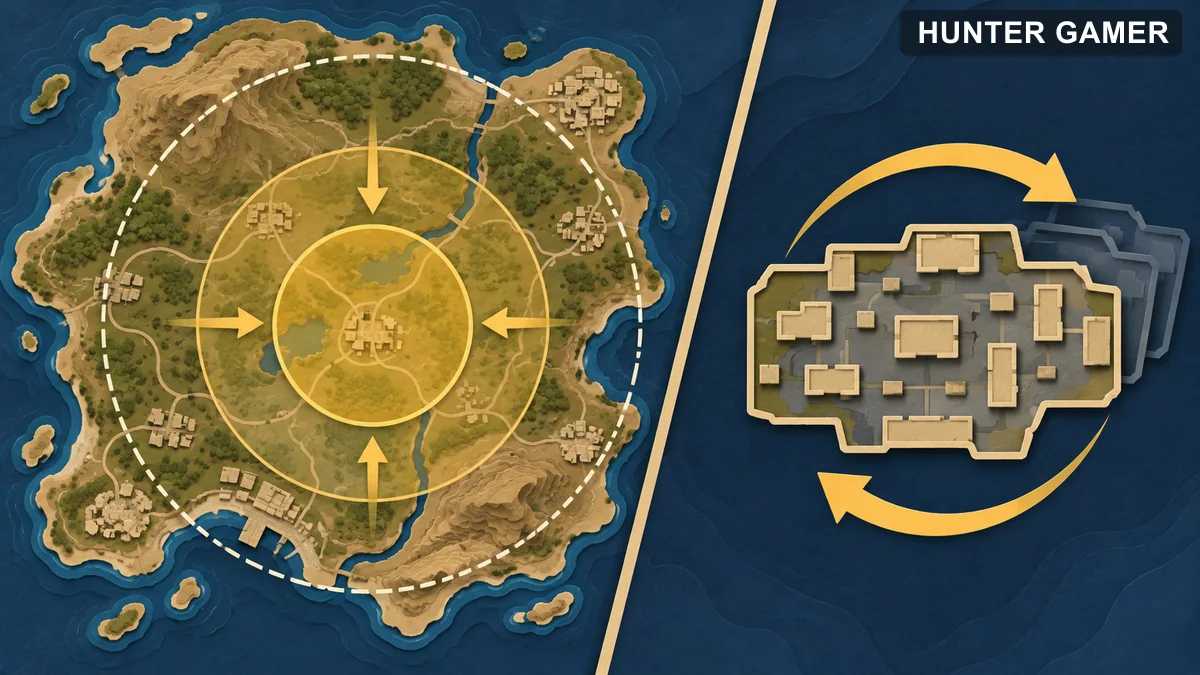
Editorial map comparison of broad battle royale play and compact multiplayer matches

Loadouts and what unlocks when

Loadouts are reached from the home screen or the Multiplayer lobby through the Loadout button. Activision documents the slots as Soldier, Operator Skill, Primary and Secondary Weapons, Optics and Attachments, Perks, and Lethal and Tactical Equipment. Loadouts can be renamed, and one can be set as your default.

Some slots and items start locked. Where an item is locked, the level you need is shown as a number next to a yellow star, so you can see what you are working toward rather than guessing. Levelling up unlocks both more items and more customisable loadout slots.

The Operator Skill slot unlocks at Level 3, and this is the system with no real PUBG equivalent. Activision names five: Purifier, a flamethrower; War Machine, a fully automatic grenade launcher; Scythe, a handheld minigun whose accuracy improves the longer it is fired; Transform Shield, a deformable shield; and Tempest, a charged lightning bolt that chains to up to nine nearby enemies. Scorestreaks are separate, chosen from their own button in the Multiplayer lobby and unlocked by levelling.

If you come from PUBG, this is the adjustment: your opponent’s kit is not only what they found on the ground. Some of it is what they unlocked before the match started.

How a battle royale match runs

Activision describes the battle royale mode as similar in shape to Blackout from Call of Duty: Black Ops 4. The last player or team standing wins, and the playable area shrinks as the match goes on. You can play alone, in a two-player team, or in a four-player team, selected by the head icons before the match. If you do not invite friends, teams are filled randomly. There is also a first-person and third-person perspective toggle before you start.

  • Pregame. You spawn somewhere random and can test weapons and mechanics. Everyone is invulnerable during this period, and it is the last point at which you can change your class.
  • Infiltration. All players start in transports flying a random straight line. You exit when prompted, and you are ejected automatically if you drift too close to the map edge. You steer with a wingsuit, and you can place a waypoint on the map to aim for. The parachute deploys automatically near the ground, or manually if you prefer.
  • Looting. Auto Loot picks items up as slots allow, including your first two weapons. It can be switched off on the BR Mode tab under Basic in Settings, which is worth knowing if you would rather choose everything yourself. Backpacks increase carrying capacity, and the bottom row of the screen holds quick heal and grenade buttons alongside the inventory.
  • Safe zone. Tapping the map shows a white ring, with a blue ring collapsing toward it. Players caught outside the blue ring take damage, and the collapses get faster as the match progresses.

Classes exist but work differently from anything in PUBG: each one carries a single piece of special equipment and a single passive skill. Your default class is set in the Loadout tab and can be swapped during the pregame period.

Most of a PUBG player’s instincts transfer directly here. Ring discipline, when to rotate, and how to read a shrinking circle all work the same way. The two habits that need adjusting are Auto Loot, which will make looting decisions for you until you turn it off, and the class system, which means an opponent may have an ability rather than only a gun.
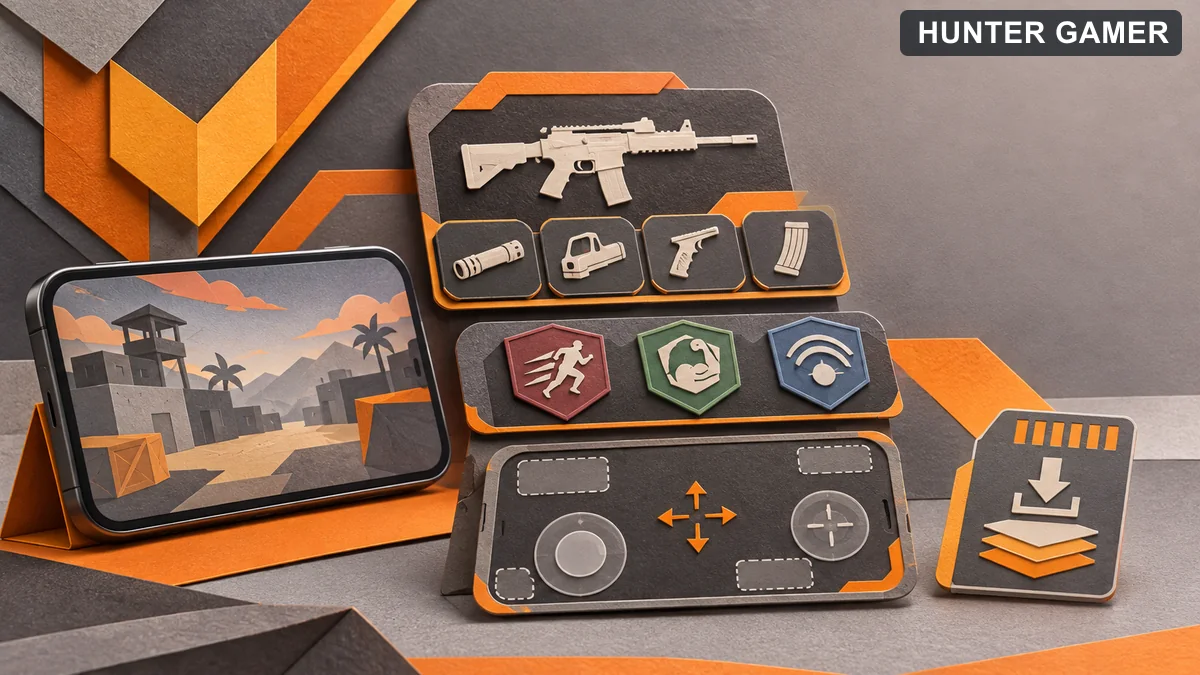
Conceptual mobile game phone with modular loadout and touch-control elements

How to decide whether it suits you

If you enjoy PUBG mainly for its battle royale pacing, start in the battle royale mode and compare the match rhythm for yourself. If you want more frequent short fights, spend your first evening in Frontline and Team Deathmatch instead, and try Search & Destroy once you know the maps. Both halves ship in the same download, so this costs you nothing but time.

Start with the default controls and adjust the HUD and sensitivity only after a few matches, when you know what is actually bothering you. Do not copy a best settings preset from a video without checking it on your own screen and phone, because a layout built for a tablet rarely suits a six-inch display.

Performance and download size

The Android listing mentions optional downloadable resources, which means the installed size depends on how much content you choose to add. Performance depends on your phone, available storage, network, and the current game version. This page does not quote a frame rate or an install size, because neither was measured here.

Frequently Asked Questions

Is Call of Duty: Mobile just another battle royale?

No. It ships traditional multiplayer modes and a battle royale mode in the same app, and the multiplayer side is the larger part of the documented experience.

Which mode is closest to PUBG Mobile?

The battle royale mode for pacing and circle play. For tension in a shorter match, Search & Destroy comes closest, because there is no respawning.

What unlocks at Level 3 and Level 5?

Activision documents the Operator Skill slot as unlocking at Level 3, and both Domination and Search & Destroy as unlocking at Level 5.

Can I turn off Auto Loot in battle royale?

Yes. It is on the BR Mode tab under Basic in Settings. Until you do, the game picks up items for you as your slots allow.

Do I earn XP against bots?

Yes, in Practice vs. AI, but at a 90% reduced rate compared with normal matches.

Sources and scope

The modes, loadout slots, Operator Skills, unlock levels and battle royale match flow above are drawn from Activision’s support pages on Call of Duty: Mobile Multiplayer and Battle Royale in Call of Duty: Mobile, with the download note from the official Google Play listing.

One scope note worth stating plainly: both Activision pages carry a 2019 article date, so they describe the game’s documented foundations rather than everything added since. Modes, maps and seasonal content have expanded well beyond this list. Treat the above as the structure the game is built on, and check in-game for what is currently live. This page summarises documented features and does not claim hands-on testing. Reviewed November 12, 2026.
Published by

Hunter Gamer

Hunter Gamer has covered games, esports, and streamers for readers in Bangladesh and beyond since 2019. The site publishes gaming news and explainers, practical settings and troubleshooting guides for mobile and PC players, Bangladesh buying information for gaming hardware and digital products, and profiles of creators alongside their official channels.

Articles are built on official game, platform, and product information where it is available, and sources are linked when a claim needs attribution. Because prices, release dates, and game settings change, each article carries a review date and readers are asked to check the linked source before buying anything or changing an account setting. Where something cannot be verified, the article says so rather than guessing. Articles are revised when an error is found or when a change makes an older guide misleading — corrections and news tips are welcome through the contact page.

About Hunter GamerSpotted an error? Tell us

Previous Post

OBS Microphone Noise Suppression: Reduce Fan Noise in Gaming Streams

Next Post

OBS Audio Ducking: Lower Game Sound Automatically While You Talk

Related Posts

Blue and amber blocks labeled Version 4.7, November 12, and Flash, November 13, 2026.
Mobile Games

PUBG Mobile 4.7 and Flash Release Dates: November 2026

November 16, 2026
Editorial illustration of a rugged metal supply capsule descending by parachute onto a rocky island as a storm and distant lightning gather over the sea.
News

Free Fire Storm Arena 2026: Free Rewards and What to Check

November 16, 2026
OBS virtual camera settings for gaming calls guide for Bangladesh gamers, updated November 2026
News

How to Set Up OBS Virtual Camera for Gaming Calls

November 16, 2026
Next Post
Editorial audio mixer with game-sound level lowering while microphone speech rises

OBS Audio Ducking: Lower Game Sound Automatically While You Talk

Editorial microphone and audio meter with a physical stop marking the output ceiling

OBS Microphone Limiter Settings: Control Loud Voice Peaks in Gaming Streams

Editorial illustration of separate voice, game and combined audio recordings on translucent tapes

OBS Separate Audio Tracks: Record Your Mic and Game Audio for Stream Highlights

Categories

  • Mobile Games
  • News
  • PC Games
  • PUBG
  • Reviews

Topics

2024 PUBG tricks Best Fortnite Xp Maps Best Games Cyberpunk Days Gone Fortnite Fortnite Xp Maps Gamer Lag fix PMPL 2023 South Asia PUBG PUBG game performance PUBG mobile lag fix PUBG Mobile Redeem Codes 2023 Xp Maps
  • Top-Up Shop
  • About Us
  • Contact
  • Privacy Policy and Data Protection
  • Terms and Conditions of Website Use
  • Refund and Returns Policy for Digital Products
Call us: +880 1711 189127

Copyright © 2020 - 2026 Hunter Gamer · All Rights Reserved.

Welcome Back!

Login to your account below

Forgotten Password?

Retrieve your password

Please enter your username or email address to reset your password.

Log In
No Result
View All Result
  • Shop
  • Home
  • Mobile Games
    • PUBG
  • PC Games
  • Reviews
  • News
  • Insights
  • Streamers
    • Australia
    • Bangladesh
    • Canada
    • Hong Kong
    • India
    • Indonesia
    • Malaysia
    • Moroccan
    • Nepal
    • Singapore
    • Spain
    • Taiwan
    • Thailand
    • Türkiye
    • United Kingdom
    • United States
    • Vietnam
  • Online Games
    • Dex Ball

Copyright © 2020 - 2026 Hunter Gamer · All Rights Reserved.