• Latest
  • Trending
  • All
Illustrated newcomer from Bangladesh arriving in a fictional roleplay city

GTA 5 Roleplay: How to Join Servers in 2026 from Bangladesh

November 2, 2026
OBS virtual camera settings for gaming calls guide for Bangladesh gamers, updated November 2026

How to Set Up OBS Virtual Camera for Gaming Calls

November 9, 2026
Editorial game illustration of Fade's watcher marking opponents and a Prowler following a Terror Trail

Fade Valorant Character Profile: Role, Abilities, and Beginner Tips

November 6, 2026
Editorial illustration of separate voice, game and combined audio recordings on translucent tapes

OBS Separate Audio Tracks: Record Your Mic and Game Audio for Stream Highlights

November 6, 2026
Editorial microphone and audio meter with a physical stop marking the output ceiling

OBS Microphone Limiter Settings: Control Loud Voice Peaks in Gaming Streams

November 6, 2026
Editorial game illustration of a cybernetic forearm sending a seismic pulse through a wall as a teammate waits

Breach Valorant Character Profile: Role, Abilities and Teamplay Basics

November 6, 2026
Editorial game illustration of a nature-inspired scout sending a hawk and animal ahead while teammates receive healing under cover

Skye Valorant Character Profile: Role, Abilities and Teamplay Basics

November 6, 2026
Editorial illustration of a desktop notification being copied from a gaming display into a public stream

How to Keep Desktop Notifications Off Your Gaming Stream in OBS

November 6, 2026
Editorial router and game controller beside an observational graph with fluctuating connection peaks

VALORANT Network Stats Settings: Check Ping Spikes and Connection Jitter

November 6, 2026
Editorial audio mixer with game-sound level lowering while microphone speech rises

OBS Audio Ducking: Lower Game Sound Automatically While You Talk

November 6, 2026
Two mobile game scenes comparing a large battle royale island with a compact multiplayer arena

Call of Duty: Mobile Overview for PUBG Players: Modes, Loadouts, and What to Try

November 6, 2026
Microphone shielded from PC fan noise by a soft acoustic boundary

OBS Microphone Noise Suppression: Reduce Fan Noise in Gaming Streams

November 6, 2026
Illustration of recent practice shots with a shooting-error trace

VALORANT Shooting Error Graph: What It Shows and How to Use It

November 6, 2026
  • About Hunter Gamer
  • Advertising & Sponsorship Opportunities
  • Contact Us for Gaming News & Support
Monday, November 9, 2026
  • Login
Hunter Gamer
  • Shop
  • Home
  • Mobile Games
    • PUBG
    • Fortnite
  • PC Games
  • Reviews
  • News
  • Insights
  • Streamers
    • Australia
    • Bangladesh
    • Canada
    • Hong Kong
    • India
    • Indonesia
    • Malaysia
    • Moroccan
    • Nepal
    • Singapore
    • Spain
    • Taiwan
    • Thailand
    • Türkiye
    • United Kingdom
    • United States
    • Vietnam
  • Online Games
    • Dex Ball

No products in the cart.

No Result
View All Result
Hunter Gamer
  • Shop
  • Home
  • Mobile Games
    • PUBG
    • Fortnite
  • PC Games
  • Reviews
  • News
  • Insights
  • Streamers
    • Australia
    • Bangladesh
    • Canada
    • Hong Kong
    • India
    • Indonesia
    • Malaysia
    • Moroccan
    • Nepal
    • Singapore
    • Spain
    • Taiwan
    • Thailand
    • Türkiye
    • United Kingdom
    • United States
    • Vietnam
  • Online Games
    • Dex Ball
No Result
View All Result
Hunter Gamer
No Result
View All Result

GTA 5 Roleplay: How to Join Servers in 2026 from Bangladesh

November 2, 2026
in PC Games
Reading Time: 6 mins read
0 0
Home PC Games
6
VIEWS
Share on FacebookShare on Twitter

Watched GTA RP streams and now want to play a character instead of watching someone else’s story? If your search was “gta 5 roleplay how to join”, here’s the practical route from owning GTA V on PC to joining a server, with Bangladesh and SEA realities in mind.

What GTA 5 roleplay actually is

GTA RP means playing a character inside a community-run version of GTA V. Instead of treating everyone as a target, you respond as your character would: working, talking, getting into trouble and dealing with consequences. The server’s rules shape what’s allowed.

FiveM is the multiplayer modification framework powered by Cfx that these servers run on. On August 11, 2023, Cfx.re announced it had officially joined Rockstar Games. Rockstar’s roleplay community update said the move would help support the community and improve services for developers and players. That doesn’t mean every community server works the same way.

What you need before joining

A legitimate PC copy and your account

Start with a legitimate copy of GTA V on PC and a Rockstar Games account, often called a Social Club account. Keep your login details ready. This guide follows the PC FiveM route, not console multiplayer.

GTA V Enhanced on Steam was listed at $29.99 USD when checked in September 2026 using the Bangladesh region view. Steam does not price in BDT. Legacy no longer has a standalone store price listing, so check the current store page for what’s included instead of relying on old price advice.

FiveM for GTAV Enhanced is currently in Early Access. Check the current client instructions and your intended server’s edition guidance before buying or installing; don’t assume an older setup tutorial applies to your edition.

The PC and storage reality check

Steam lists these minimum requirements for GTA V Legacy:

  • Windows 10 64-bit.
  • Intel Core 2 Quad Q6600 or AMD Phenom 9850.
  • 4 GB RAM.
  • NVIDIA 9800 GT 1GB or AMD HD 4870 1GB.
  • 125 GB free storage.

Those are Legacy’s base-game minimums, not a promise of smooth RP or requirements for Enhanced. For a budget Bangladeshi desktop or laptop, check your actual hardware rather than trusting the label “gaming PC”. Community servers vary in complexity, so keep expectations modest and avoid filling your drive to the limit.

How to join GTA 5 RP, step by step

Install GTA V and confirm it launches

Install the edition supported by your intended setup through your legitimate game launcher. Open GTA V and complete the account sign-in before moving to FiveM. Sorting out game-launch problems first makes later troubleshooting less confusing.
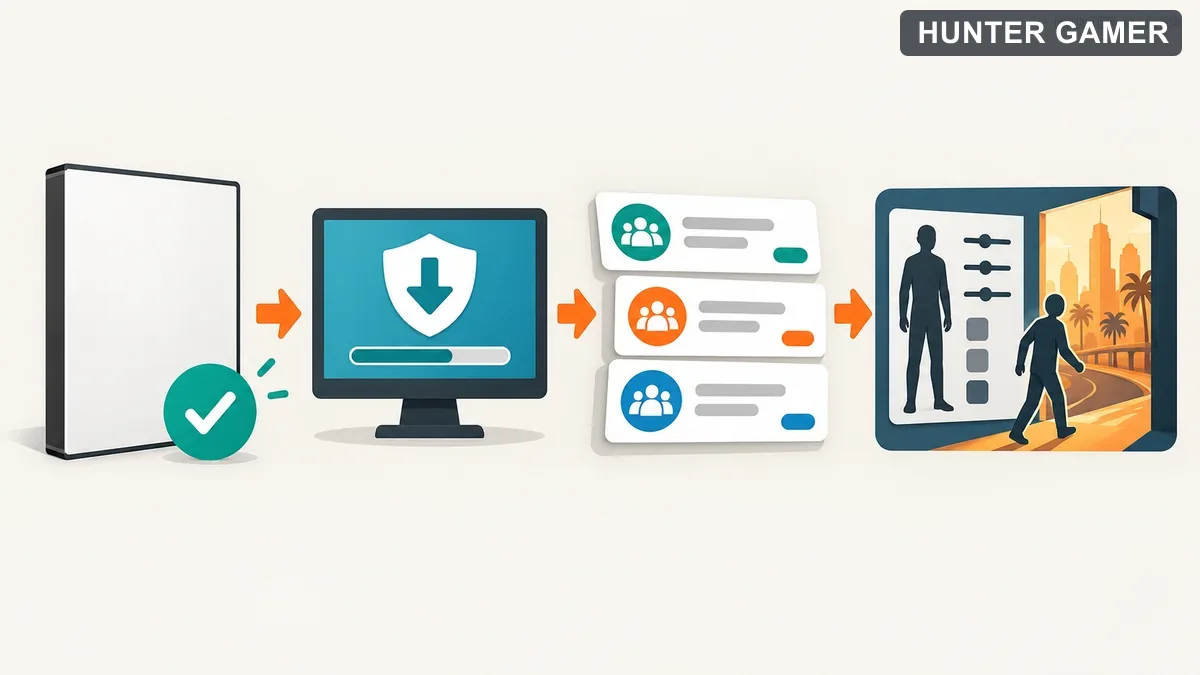
Conceptual steps from legitimate PC game and secure client download to server choice and character creation

Install FiveM from the official source

Download FiveM.exe from FiveM’s official site, then run it and follow its installation prompts. Use the official instructions for your GTA V edition. Skip repacked installers and download links passed around in random chat groups.

FiveM’s official site says it does not modify your GTAV installation, allowing you to switch between GTA Online and FiveM without getting banned for using FiveM. Community-server moderation is separate: breaking a server’s rules can still get you removed from that server.

Open the server list and choose a public server

Open FiveM’s server list and look for a beginner-friendly public community. Read its description, language expectations and joining instructions before connecting. A famous server isn’t automatically the best place to learn the controls or practise talking in character.

Prefer a community with clear rules and an obvious way to ask for help. If the listing points to community instructions, read those first. Public access means you generally avoid a whitelist application, not that there are no entry requirements.

Make a character you can actually play

Follow the server’s character-creation process. Start with a simple name, personality and reason for being in the city. A newcomer looking for honest work is easier to sustain than a criminal mastermind who somehow knows everything already.

Keep your first session manageable. Learn how to communicate, find the help channels and follow whatever starting guidance the community provides. You don’t need a dramatic storyline immediately.

Learn the rules before creating trouble

Read the rules before joining, then revisit them before your first serious scene. Wording varies, but these ideas are common:

  • No RDM: random deathmatching means attacking or killing without a valid roleplay reason.
  • No VDM: vehicle deathmatching means using a vehicle to attack people without a valid roleplay reason.
  • Stay in character: speak and act as your fictional person during scenes. Use designated help channels for setup questions.
  • Value your life: react to danger as though your character’s survival matters, rather than treating death as a disposable reset.

Don’t copy a streamer’s chaotic moment without understanding the context. The local rules decide what’s acceptable, not what got laughs in a clip.

Whitelist vs public servers

A whitelist is an approval process before you can join. Servers generally use applications, interviews or both to check whether you understand their rules and can roleplay. Expect longer waits and often stricter expectations.
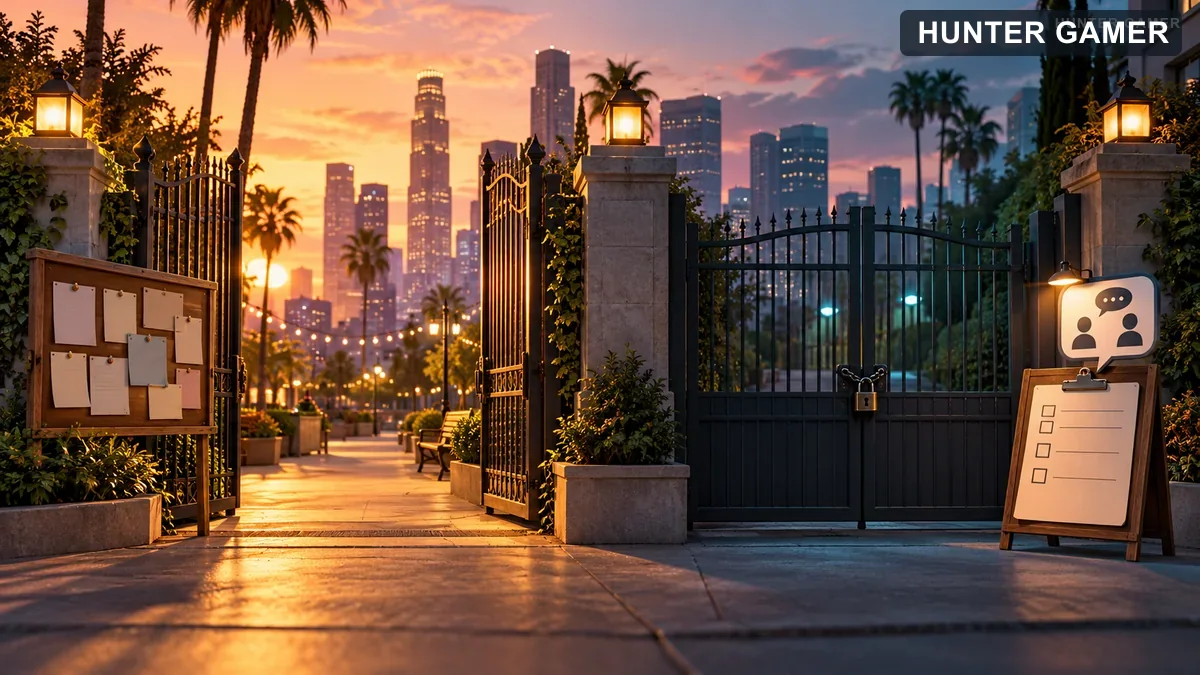
Open community gate beside an approval gate with a blank checklist

Public servers generally let you get started with less application friction. Begin there to learn the basics, then consider a whitelist community once you know what kind of RP you enjoy. Neither label guarantees a welcoming community.

Bangladesh and SEA tips before you connect

Buying through Steam can be awkward without an international payment card. Check supported payment options before committing money, and avoid handing your account credentials to someone offering to purchase the game for you.

For gta rp Bangladesh searches, look beyond a server’s name. Check its community language, rules and activity descriptions. English-friendly Asian communities are worth investigating, especially if distant European or US servers feel less responsive. Actual connection quality varies; don’t trust a promised Dhaka ping without checking your own connection.

Watching creators such as GamerFleet, Kai Cenat and Techno Gamerz can help you notice how gaming personalities build entertaining scenes. When watching RP specifically, focus on conversation, reactions and consequences rather than copying stunts. Entertainment isn’t a substitute for your server’s rulebook.

Is GTA RP worth it in 2026?

If you enjoy improvised stories more than constant shooting, it’s worth exploring. FiveM’s homepage showed “120.5k people playing right now” when checked in September 2026: a snapshot, not a guaranteed daily count. For broader background, see Wikipedia’s Grand Theft Auto modding overview. Start with a suitable public server and give yourself room to learn.

Frequently asked questions

Is FiveM safe, and will I get banned for using it?

Download the client from the official FiveM site rather than unofficial installer links. FiveM says it does not modify your GTAV installation, so you can switch between GTA Online and FiveM without getting banned for using FiveM. Individual RP servers can still ban you for breaking their rules.

Can I play GTA RP on a low-end PC or laptop?

Possibly, but meeting GTA V Legacy’s minimum requirements does not guarantee smooth performance on a community RP server. Check your hardware against the requirements for your installed edition, and remember that server complexity varies. Treat a budget laptop cautiously rather than assuming every server will run well.

Do I need to pay anything beyond GTA V?

You need a legitimate PC copy of GTA V, but don’t assume a payment demanded by a community is a universal GTA RP joining requirement. Read that server’s access and payment information before committing, because community arrangements vary. Avoid paying someone simply to guide you through the standard installation steps.

How do I find English-friendly GTA RP servers from Bangladesh?

Read server descriptions and community rules for explicit language expectations rather than judging by the server name. Look for Asian communities that welcome English-speaking newcomers, and ask in their help channels if the requirements are unclear. Connection quality to Europe or the US varies, so check how a server feels on your own connection.

Previous Post

Opera GX Review 2026: Useful Gaming Tools or Just a Skin?

Next Post

GTA 5 RP Server List: A Practical 2026 Bangladesh Guide

Related Posts

Split TerraScape floating-island card builder and Out of Sight teddy-bear mansion illustration marked October 2026 Epic offer archive
PC Games

Epic Games Store Free Games This Week (October 2026): TerraScape & Out of Sight

November 5, 2026
Out of Sight teddy bear and girl in a moonlit mansion, marked October 2026 Epic offer archive
PC Games

Out of Sight Free on Epic Games Store (October 2026): How to Claim It

November 6, 2026
TerraScape floating-island kingdom and building cards marked October 2026 Epic offer archive
PC Games

TerraScape Free on Epic Games Store (October 2026): How to Claim It

November 6, 2026
Next Post
Illustrated choice among fictional roleplay community cards with a Bangladesh location pin

GTA 5 RP Server List: A Practical 2026 Bangladesh Guide

Redeem code and event gifts, plus an indirect store-credit path to game diamonds

How to Get Free Diamonds in Free Fire: 5 Legit Ways in 2026

PUBG Mobile UC coin and local bKash top-up illustration in a battle royale landscape

PUBG UC Top Up Bangladesh: How to Buy UC Safely via bKash

Comments 3

  1. Pingback: GTA 5 RP Server List: A Practical 2026 Bangladesh Guide - Hunter Gamer
  2. Pingback: Kick Streaming in Bangladesh: Your Practical 2026 Guide
  3. Pingback: GTA 6 Price in Bangladesh: Pre-Order Cost & Release Date

Leave a Reply Cancel reply

Your email address will not be published. Required fields are marked *

Categories

  • Mobile Games
  • News
  • PC Games
  • PUBG
  • Reviews
  • Xbox One

Topics

2024 PUBG tricks Best Fortnite Xp Maps Best Games Browser Cyberpunk Days Gone Fortnite Fortnite Xp Maps Gamer Lag fix Offer PMPL 2023 South Asia PUBG PUBG game performance PUBG mobile lag fix PUBG Mobile Redeem Codes 2023 X-Box Xp Maps
  • Top-Up Shop
  • About Us
  • Contact
  • Privacy Policy and Data Protection
  • Terms and Conditions of Website Use
  • Refund and Returns Policy for Digital Products
Call us: +880 1711 189127

Copyright © 2020 - 2026 Hunter Gamer · All Rights Reserved.

Welcome Back!

Login to your account below

Forgotten Password?

Retrieve your password

Please enter your username or email address to reset your password.

Log In
No Result
View All Result
  • Shop
  • Home
  • Mobile Games
    • PUBG
    • Fortnite
  • PC Games
  • Reviews
  • News
  • Insights
  • Streamers
    • Australia
    • Bangladesh
    • Canada
    • Hong Kong
    • India
    • Indonesia
    • Malaysia
    • Moroccan
    • Nepal
    • Singapore
    • Spain
    • Taiwan
    • Thailand
    • Türkiye
    • United Kingdom
    • United States
    • Vietnam
  • Online Games
    • Dex Ball

Copyright © 2020 - 2026 Hunter Gamer · All Rights Reserved.