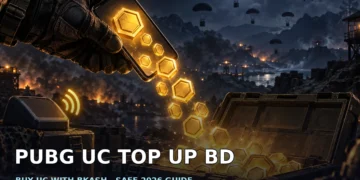


Want a Royal Pass or a skin you actually like? UC, short for Unknown Cash, is PUBG Mobile’s premium currency for passes, crates and skins. The game is free to play, so buying UC is optional. For Bangladesh players, the next question is often about payment: how do you buy PUBG UC with bKash without handing your account to a stranger?
If you searched for “pubg uc top up bangladesh bkash”, start by separating the payment routes. A local top-up service, Midasbuy and the in-game store are different checkouts. bKash is a Bangladesh mobile financial service available through its app and USSD, as described in the bKash overview. That makes it relevant to local buyers, but it does not mean every UC checkout accepts it.
What you need before starting
Get your account details and budget ready before opening a payment screen. You should know which PUBG Mobile character will receive the UC and what you want to spend it on.
- Your numeric PUBG Mobile character ID, copied from your own profile.
- Access to your own bKash app or USSD if using the local bKash route.
- A UC pack that fits your spending limit.
- A way to keep the order confirmation and payment reference.
Check the live checkout total rather than relying on an old screenshot or a price quoted in chat. Keep your PUBG password and payment codes private. A seller delivering UC by character ID does not need access to your account.
How to find your PUBG Mobile character ID
- Open PUBG Mobile and make sure you are signed into the character you want to top up.
- Open your player profile.
- Find the numeric character ID shown in your profile. Use the ID, not just your display name.
- Copy it carefully, then compare it with the ID you enter on the top-up page.
Do this check before paying, bhai. If you play on more than one account, look at the profile again instead of trusting an ID saved in an old message. The important detail is the receiving character.
Route 1: Local PUBG UC top-up with bKash
A concrete local-service example is the Hunter Gamer top-up marketplace — Free Fire diamonds & PUBG UC Bangladesh. Use the PUBG UC listing, then review the current pack and checkout details. Do not confuse a listing for another game with a PUBG Mobile top-up.
- Pick your UC pack. Choose the pack that covers your planned purchase and check the live total.
- Enter your character ID. Paste the numeric ID from your profile and check it again.
- Choose bKash at checkout. Read the payment instructions and confirm the amount before proceeding.
- Confirm from your own bKash app or USSD. Use the app or *247# yourself. Never send an OTP, PIN or verification code to a seller or support account.
- Check for the UC in-game. After the order is fulfilled, open PUBG Mobile and confirm that the UC has landed. Keep your receipt until you have checked delivery.
Do not treat payment confirmation alone as proof that delivery is complete. Check your UC balance too, and keep the order reference if you need to ask about the order. Avoid placing another order just because you have not checked the first one properly.
Also play Free Fire? The Free Fire bKash top-up guide documents the same local payment flow for diamonds. Use it for payment context, not as a substitute for selecting the correct PUBG product and character ID.
Route 2: Official Midasbuy top-up center
Midasbuy’s Bangladesh top-up center identifies itself as the official top-up center for PUBG UC and other games. It is the official web route to consider when comparing your purchase options.
Open the Bangladesh page, select PUBG Mobile and review the available pack and payment details. Prices and payment methods depend on the region and appear at checkout. Check what is actually listed for your region before deciding to pay.
Do not assume Midasbuy accepts bKash. That payment method is not verified here. If your preferred method is not listed, do not send money to someone claiming they can privately complete the official checkout for you.
Route 3: Buy UC inside PUBG Mobile
You can also open the UC purchase area inside the game. In-game purchases are billed through Google Play on Android or the App Store on iOS. The PUBG MOBILE Google Play listing confirms that the game includes in-app purchases.
Review the pack, total and payment options shown by your store checkout. This is a separate billing route from a local top-up service. We cannot confirm direct bKash payment in-game, so check the available methods rather than assuming your bKash balance can pay for the purchase.
Compare the UC top-up routes
| Route | How you pay | Speed | Best for |
|---|---|---|---|
| Local top-up service | bKash through the local checkout flow | Depends on order fulfilment | Players looking for a local bKash route |
| Official Midasbuy center | Methods displayed for your region | Check current delivery information | Players who prefer the official web center |
| In-game UC purchase | Google Play or App Store billing | Depends on payment processing | Players who prefer store billing |
Safety checks before you pay
For character-ID delivery, the account detail needed is your numeric character ID only. Anyone asking for your PUBG password, OTP or verification codes is scamming you. Enter payment credentials only in your own payment flow, never in seller chat.
- Check the receiving character ID before confirming payment.
- Keep the checkout details and transaction reference.
- Do not let someone log into your game or bKash account to “help”.
- Treat absurdly cheap UC as a warning: it can involve stolen payments or ban risk.
Keep your UC budget under control
Compare the per-UC rate using the pack amount and final checkout total. A bigger pack is not a better purchase if it pushes you beyond your budget. Decide what you want first, then buy enough for that plan.
For help choosing what deserves your UC, read the PUBG Mobile UC spending guide. Pick a route you can pay through safely, check the live total and keep your account credentials to yourself.
Frequently asked questions
Can I buy PUBG UC with bKash directly in-game?
Direct bKash payment in the PUBG Mobile in-game store is not verified here. In-game UC is billed through Google Play or the App Store, so check the methods shown in your store checkout. A local top-up service with a bKash checkout is a separate route.
Is Midasbuy official for PUBG UC in Bangladesh?
Yes. Midasbuy’s Bangladesh page identifies it as the official top-up center for PUBG UC and other games. Packs and payment methods depend on the region, so review the live checkout; bKash acceptance is not verified here.
Do UC sellers need my PUBG password?
No. Character-ID UC delivery needs your numeric character ID, not your PUBG password. Anyone asking for your password, OTP or verification codes is scamming you, so do not share them.
What is the cheapest way to buy UC in Bangladesh?
There is no verified cheapest route in this guide. Compare the final checkout total and per-UC rate across the available routes, then choose a pack within your budget. Absurdly cheap offers can involve stolen payments or ban risk.

Comments 2