

Looking for the PUBG Mobile best graphics settings for smooth 90 FPS in 2026? The honest answer is that the best settings depend on your phone. A setting that runs perfectly on a flagship can make a budget phone overheat in ten minutes.
Every value below comes from community guides. None is a secret pro file, and we have not tested them in-game ourselves. Menu names and FPS options can change after game updates. Take a screenshot of your current settings before you change anything.
First, the two settings that matter most. Open Settings → Graphics.
- Graphics: the picture quality. Options run from Smooth up through Balanced, HD, HDR and higher. Smooth looks the plainest but uses the least power.
- Frame Rate: how many frames per second the game tries to run. Options go from Low up to Extreme, and on supported phones 90 FPS or 120 FPS.
Higher FPS makes aiming and spotting movement smoother. Higher graphics only make the game prettier. That is why the popular competitive combo is Smooth + the highest frame rate your phone offers. Smooth + Extreme is the common choice on phones that do not show 90 FPS.
Phones that support 90/120 FPS
You cannot force 90 FPS from the menu. The game decides which options to show based on your device. If 90 FPS does not appear in your Frame Rate list, your phone is not on the supported list right now.
In general, 90 FPS shows up on:
- Flagship Android phones with high-end Snapdragon or Dimensity chipsets and a 90Hz or faster screen.
- Many gaming-focused phones.
- Recent iPhones.
- Some upper mid-range phones, depending on the current supported list.
120 FPS is limited to a smaller group of high-end devices. The supported list changes with updates, so a phone that lacks the option today might get it later, or the reverse.
Be careful with “90 FPS unlock” config files and GFX tool apps. They edit game files, which can break the game or put your account at risk under PUBG Mobile’s rules. We do not recommend them.
Best settings for low-end phones
By low-end we mean phones with 3GB-4GB RAM and entry-level chipsets. Your goal here is stable FPS, not maximum FPS. A steady 30 feels better than a number that jumps between 25 and 40.
- Graphics: Smooth
- Frame Rate: start at High. Try Ultra or Extreme only if the game stays smooth for a full match.
- Style: Colorful or Realistic, whichever helps you spot enemies. This setting has very little performance cost.
- Anti-aliasing: off
- Shadows: off
- Auto-adjust graphics: off, so the game does not change settings mid-match.
Also download only the resource packs you need. Removing extra map packs and HD packs frees storage and can help older phones load faster.
Still stuttering? Our full guide to fix PUBG lag covers phone-side fixes, storage cleanup and network checks step by step.
Mid and flagship settings
Mid-range phones (6GB-8GB RAM)
- Graphics: Smooth for ranked, Balanced if you want a nicer look in casual games.
- Frame Rate: Extreme, or 90 FPS if it appears.
- Anti-aliasing: off or low.
- Shadows: off for competitive play. Shadows can occasionally reveal enemies, but most players prefer the extra FPS.
Flagship phones and iPhones
- Graphics: Smooth for the highest FPS options. On many phones, the 90 and 120 FPS choices only show with lower graphics settings.
- Frame Rate: 90 FPS, or 120 FPS if supported.
- Screen refresh rate: set your phone’s display to its highest refresh rate in system settings. A 60Hz screen cannot show 90 FPS.
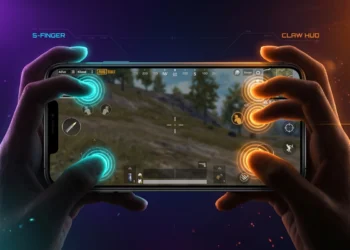
Smoother frames make a real difference to your controls. If you are moving to a claw setup, pair these settings with our PUBG Mobile 4 finger claw controls code guide.
Fixing overheating and FPS drops
Here is the hard truth: when a phone gets hot, it slows its own chip to protect itself. This is called thermal throttling. No setting can remove it. You can only reduce the heat.
Bangladesh’s hot, humid weather makes this worse. A phone that runs 90 FPS fine in an air-conditioned room may drop hard in a hot room in summer.
- Drop one FPS level. Going from 90 to Extreme often runs cooler and stays steadier over a full match.
- Take the case off. Thick cases trap heat.
- Do not play while charging. Charging and gaming together create a lot of heat.
- Lower screen brightness a little. The display uses a lot of power.
- Close background apps before you open the game.
- Use the phone’s game mode if it has one, to block notifications and limit background activity.
- Take breaks between matches so the phone can cool.
Phone cooling fans can help some phones, but results vary a lot. They are not a fix for a phone that is simply too weak for the setting you chose.
If your phone is the limit, PUBG on PC may be an option. Check our PUBG Mobile PC requirements guide to see what you need.
Ping tips for Bangladesh
High FPS with high ping still feels laggy. FPS is about your phone. Ping is about your connection to the game server.
- Pick the Asia server in the lobby. It is usually the closest region for players in Bangladesh.
- Use 5GHz Wi-Fi if your router supports it and you are close to it. 2.4GHz reaches further but is more crowded.
- Stop downloads and streaming on the same network while you play.
- Mobile data: 4G can work well, but signal strength changes from room to room. Play where your signal is strongest.
- Restart your router if ping spikes suddenly. It is simple, but it often helps.
Be careful with “gaming VPN” apps that promise low ping. A VPN adds an extra stop between you and the server, so it usually makes ping worse, not better.
FAQ
Why does 90 FPS not show on my phone?
PUBG Mobile only shows 90 FPS on devices it supports. If the option is missing, your phone is not on the current list. Try lowering Graphics to Smooth, since some higher FPS options only appear at lower graphics. Avoid unlock files and GFX tools, which can risk your account.
Is Smooth plus Extreme the best setting?
For most phones without 90 FPS, Smooth plus Extreme is a popular competitive choice because it prioritizes frame rate over looks. If your phone overheats or drops frames on Extreme, step down to Ultra or High for steadier play.
Why does my FPS drop after 10 minutes?
Usually heat. When a phone gets hot, it slows its chip to protect itself. Lower one FPS level, remove the case, avoid playing while charging and close background apps. No setting can fully stop throttling on a phone that is pushed too hard.
Does a VPN reduce ping in Bangladesh?
Usually not. A VPN adds an extra stop between your phone and the game server, which tends to raise ping. Choose the Asia server, use strong Wi-Fi or mobile signal, and stop other downloads instead.