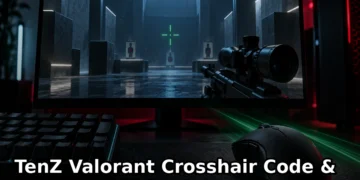


Looking for TenZ’s exact Valorant crosshair code and settings for 2026? Whether you’re trying to replicate the aim of one of Valorant’s most iconic players or just curious about his setup, this guide has everything you need—from copy-paste crosshair codes to sensitivity, video settings, and keybinds.
TenZ (Tyson Ngo) is a former Sentinels pro player, Cloud9 CS:GO Major champion, and one of the most-watched Valorant streamers with 3.3M+ Twitch followers. His settings are optimized for Jett-heavy gameplay, Operator flicks, and 240+ FPS performance. Here’s how to copy his 2026 config.
TenZ’s Valorant Crosshair Code (2026)
Primary crosshair code (green dot with thin inner lines):
0;P;c;5;o;1;d;1;z;3;f;0;0t;1;0l;2;0o;2;0a;1;0f;0;1b;0How to import:
- Open Valorant Settings → Crosshair
- Click “Import Profile Code”
- Paste the code above
- Click “Import”
TenZ occasionally uses a secondary classic crosshair for specific agents:
0;s;1;P;h;0;f;0;0l;4;0o;2;0a;1;0f;0;1b;0Why TenZ Uses This Crosshair
TenZ’s crosshair is built for precision and minimal visual clutter:
- Small center dot: Pinpoint accuracy for headshots, especially with Jett dash combos and Operator flicks
- Green color: Stands out on all map types (Breeze, Icebox, Haven) without blending into backgrounds
- Thin inner lines: Hip-fire reference without blocking sightlines
- No outer lines: Reduces visual distractions during fast-paced gunfights
This setup works particularly well for aim-heavy duelists and Operator users who prioritize clean sightlines over crosshair placement aids.
TenZ’s Mouse & Sensitivity Settings
Mouse: Logitech G Pro X Superlight (wireless, 63g)
DPI: 800
In-game sensitivity: 0.415
eDPI: 332 (800 × 0.415)
Polling rate: 1000 Hz
Windows sensitivity: 6/11 (no acceleration)
How TenZ’s Sensitivity Compares to Other Pros
| Pro Player | DPI | Sensitivity | eDPI |
|---|---|---|---|
| TenZ | 800 | 0.415 | 332 |
| Asuna | 800 | 0.28 | 224 |
| Hiko | 800 | 0.34 | 272 |
| tarik | 800 | 0.45 | 360 |
Note: TenZ’s eDPI of 332 is mid-range for Valorant pros—not as low as Asuna’s control-focused 224, but lower than high-sens players like tarik. This balance allows for both precise crosshair placement and quick 180° flicks.
TenZ’s Video Settings (Performance Optimized)
Display Settings
- Resolution: 1920×1080 (native)
- Display mode: Fullscreen
- Aspect ratio: 16:9
Graphics Quality
- Material quality: Low
- Texture quality: Low
- Detail quality: Low
- UI quality: Medium
- Vignette: Off
- VSync: Off
- Anti-Aliasing: MSAA 2x
- Anisotropic filtering: 1x
- Improve clarity: On
- Bloom: Off
- Distortion: Off
- First person shadows: Off
Why low settings? TenZ prioritizes FPS (240+ on his setup) and enemy visibility over graphics fidelity. Low settings reduce visual distractions, improve target clarity, and maximize responsiveness on high-refresh monitors.
TenZ’s Keybinds & Equipment
Ability Keybinds
- Q: First ability
- E: Second ability
- C: Third ability (signature)
- X: Ultimate
- Mouse wheel down: Jump (for Jett updrafts)
Weapon & Communication Binds
- 1: Primary weapon
- 2: Secondary weapon
- 3: Melee
- Mouse wheel up: Cycle weapons
- V: Push to talk
- B: Buy menu
- M: Map
Full Setup (2026)
- Keyboard: SteelSeries Apex Pro TKL (mechanical, adjustable actuation)
- Mouse: Logitech G Pro X Superlight (wireless, 63g)
- Headset: Logitech G Pro X (wired, 7.1 surround)
- Monitor: ASUS ROG Swift 360Hz (PG259QN, 24.5″, 1080p)
- Mousepad: Logitech G640 (large cloth pad)
How TenZ’s Settings Changed (2024-2026)
TenZ has made a few notable adjustments to his config over the past two years:
- January 2025: Sensitivity increased from 0.4 to 0.415 (eDPI 320 → 332) for slightly faster Jett mobility
- August 2024: Crosshair color changed from white to green for better visibility on Breeze and Icebox
- March 2024: Texture quality lowered from Medium to Low after Valorant map updates impacted FPS
Sources: TenZ’s Twitch streams, Twitter @TenZOfficial, and Hunter Gamer’s TenZ streamer profile database.
TenZ vs Other Pro Valorant Settings
If you’re exploring pro configs, here’s how TenZ’s setup compares to other top Valorant streamers:
- Lower sensitivity (more control): Try Asuna’s settings (eDPI 224)
- Higher sensitivity (faster flicks): Try tarik’s settings (eDPI 360)
- Jett/duelist mains: TenZ’s 332 eDPI is the sweet spot for dash combos and Operator mobility
All pro settings and profiles are available in our Valorant Streamers archive.
Frequently Asked Questions
What is TenZ’s Valorant crosshair code for 2026?
TenZ uses crosshair code 0;P;c;5;o;1;d;1;z;3;f;0;0t;1;0l;2;0o;2;0a;1;0f;0;1b;0 in 2026. This is a small green dot with thin inner lines. You can import it directly in Valorant Settings → Crosshair → Import Profile Code.
What sensitivity does TenZ use in Valorant?
TenZ uses 800 DPI with 0.415 in-game sensitivity, giving him an eDPI of 332. He plays on a Logitech G Pro X Superlight mouse with 1000 Hz polling rate and Windows sensitivity set to 6/11 (no acceleration).
What are TenZ’s video settings in Valorant?
TenZ plays on all low graphics settings (Material, Texture, and Detail Quality all set to Low) with Anti-Aliasing on MSAA 2x. He uses 1920×1080 fullscreen at 360 Hz on his ASUS ROG Swift monitor. VSync and Bloom are disabled for maximum FPS (240+).
What mouse does TenZ use for Valorant?
TenZ uses the Logitech G Pro X Superlight wireless gaming mouse (63g weight). It’s one of the most popular mice among Valorant pros for its light weight, responsive sensor, and wireless reliability.
Did TenZ change his crosshair in 2026?
TenZ switched to a green crosshair in August 2024 (previously white) and made a minor sensitivity adjustment in January 2025 from 0.4 to 0.415. His current 2026 settings have remained stable since then.
Try TenZ’s Settings in Your Next Game
Quick setup checklist:
- ✅ Import crosshair code (Settings → Crosshair → Import)
- ✅ Set mouse DPI to 800 in your mouse software
- ✅ Set in-game sensitivity to 0.415
- ✅ Lower graphics settings to Low/Medium
- ✅ Disable VSync and Bloom
- ✅ Set monitor to highest refresh rate
Remember: Pro settings are a starting point. Adjust to your playstyle, aim trainer results, and comfort level. TenZ’s low-medium eDPI works for his aim-heavy Jett gameplay but might feel slow if you main initiators or controllers.
For more Valorant pro profiles, schedules, and stats, visit our Gaming Streamer Directory.




Comments 4